


Blog

All Fruitland Park GMC Dealer Fruitland Park Buick Dealer About Buick GMC Used Vehicles GMC Trucks GMC Sierra Vehicle Features & Updates Phillips Buick GMC Phillips Buick GMC Service About GMC Buick Enclave Buick Envision Fruitland Park Used Cars GMC Terrain GMC Yukon Buick Encore GX Contests & Giveaways Fruitland Park Buick Service GMC Hummer EV SUVs Buick Envista Discounts GMC Acadia GMC Canyon Phillips Buick GMC Discount Staff Spotlight Trim Colors Vehicle Highlights & Features
2025 GMC Hummer EV SUV exterior badging and tire

How to Rotate the Tires on Your 2025 GMC Hummer EV SUV

Maintaining your 2025 GMC Hummer EV SUV is essential for ensuring its top-tier performance and longevity, and one of the most important tasks in vehicle upkeep is tire rotation. Regularly rotating your tires helps prevent uneven wear, extends tire life, and boosts your SUV’s overall handling. If you're ready to learn how to rotate the tires on your Hummer EV SUV with ease, you've come to the right place! This guide will walk you through every step of the process, from ensuring your vehicle is safely lifted to applying the correct tire rotation pattern for your Hummer EV SUV. Not comfortable performing it yourself? No problem—Phillips Buick GMC is here for all your tire maintenance needs. Visit us or contact our expert service team for help. Let’s get started! Service Department Get Directions Contact Us Prepare Your 2025 GMC Hummer EV SUV for Tire Rotation Before you start the tire rotation process on your GMC Hummer EV SUV, there are a few simple steps to ensure you’re fully prepared. Taking the right precautions will make the process smoother and more effective. Here’s how to get your Hummer EV SUV ready for tire maintenance. 1. Gather Necessary Tools Lug wrench: You will need this tool to remove the tires. Car jack: A high-quality jack will help lift your Hummer EV SUV safely. Jack stands: For extra safety, use jack stands to support your vehicle. 2. Check Your Tire Pressure Ensure all tires are inflated to the recommended pressure. Under-inflated or over-inflated tires can affect the rotation and cause uneven wear. 3. Park on a Level Surface Make sure your vehicle is parked on a flat, stable surface. This will prevent accidents while lifting the Hummer EV SUV. 4. Turn Off the Engine Always turn off the engine before starting. This ensures the vehicle won’t move while you’re working on it. 5. Consult Your Owner’s Manual Every Hummer EV SUV has specific guidelines for tire rotation. Check the manual for any model-specific instructions or tips. Once you’ve followed these steps, you’re ready for the Hummer EV SUV rotation. If you’re unsure or need help, don’t hesitate to contact Phillips Buick GMC. Our team is here to assist with any Hummer EV SUV tire maintenance needs you may have. How to Rotate the Tires on Your GMC Hummer EV SUV 1. Gather the Right Tools Jack and jack stands Lug wrench Tire pressure gauge Wheel chocks (optional but recommended for extra safety) 2. Lift the Vehicle Position the jack under the Hummer EV SUV’s lift points. Carefully raise the vehicle until the tires are off the ground. Place the jack stands for extra security. 3. Loosen the Lug Nuts Use the lug wrench to slightly loosen the lug nuts before lifting the vehicle. Do not remove them fully yet. 4. Remove the Tires After the vehicle is raised, remove the lug nuts completely. Take off the tires and place them in a safe spot. 5. Inspect the Tires Check each tire for uneven wear or damage. Look for any signs of tire issues like bulges or punctures. 6. Rotate the Tires Depending on the type of tire wear, rotate your tires in the following manner: Front to back: Swap the front and rear tires for even wear. Side to side: For some tire types, move the tires from left to right. 7. Reinstall the Tires Place the tires back on their respective positions. Hand-tighten the lug nuts onto each tire before lowering the vehicle. 8. Lower the Vehicle Carefully lower the Hummer EV SUV using the jack. Once the vehicle is fully lowered, tighten the lug nuts securely. 9. Check Tire Pressure After the Hummer EV SUV rotation, check the air pressure in each tire. Adjust the pressure to the recommended level for your vehicle. By following these steps, you’ll complete your Hummer EV SUV tire maintenance effectively. If you’d prefer expert help, don’t hesitate to visit Phillips Buick GMC for professional assistance with your Hummer EV SUV rotation. Reinstall the Tires and Secure the Lug Nuts Once you have rotated your tires, it’s time to reinstall them and make sure everything is secure. Follow these steps to properly reinstall the tires on your Hummer EV SUV: 1. Position the Tires Place each tire back on the wheel hub, aligning the holes with the lug bolts. Ensure the tire is seated properly on the hub before proceeding. 2. Hand-Tighten the Lug Nuts Once the tire is in place, screw the lug nuts onto the bolts by hand. Turn each lug nut in a clockwise direction until they are snug, but don’t tighten fully yet. 3. Lower the Vehicle Slowly lower your Hummer EV SUV using the jack. Let the tires make contact with the ground, but keep the jack slightly elevated to avoid full weight pressure on the tires. 4. Tighten the Lug Nuts in a Star Pattern Use the lug wrench to tighten the lug nuts in a star or criss-cross pattern. This ensures even pressure across the tire and prevents it from becoming misaligned. 5. Double-Check Each Lug Nut Go around the tire and ensure all lug nuts are tightly secured. Tighten any loose nuts and make sure everything feels firm. 6. Final Lowering Once the lug nuts are fully secure, lower your Hummer EV SUV completely. Remove the jack and jack stands from under the vehicle. After reinstalling the tires and securing the lug nuts, you’re all set! This step completes your Hummer EV SUV tire maintenance and ensures your vehicle is ready to go. If you need any assistance or prefer professional help with your Hummer EV SUV rotation, visit Phillips Buick GMC for expert service. When Should You Rotate the Tires on Your Hummer? Regular tire rotation is essential to maintain the health and performance of your Hummer EV SUV. Knowing when to rotate the tires can help prevent uneven wear and improve the vehicle’s lifespan. Here are some key guidelines to determine when your GMC Hummer EV SUV needs a tire rotation: Every 6,000 to 8,000 Miles: Most experts recommend rotating the tires every 6,000 to 8,000 miles. This helps keep the wear even across all tires. Check Manufacturer Recommendations: Always refer to the owner’s manual for specific guidelines on tire rotation for your 2025 GMC Hummer EV SUV. The manual may provide a more tailored schedule based on the model. Tire Wear Pattern: If you notice uneven tire wear, such as one tire wearing faster than others, it’s time for a rotation. Regular Hummer EV SUV tire maintenance helps correct these issues before they get worse. When Replacing Other Parts: If you're having work done on other parts of your Hummer EV SUV, like the brakes, it’s a good time to rotate the tires. This ensures that the tires wear evenly over time. Seasonal Changes: Rotating your tires at the start of each season helps to maintain balance. It’s a great way to ensure your Hummer EV SUV rotation fits with seasonal maintenance. Keeping track of these signs will ensure that your GMC Hummer EV SUV performs at its best. If you need assistance with tire rotation or any other maintenance, contact Phillips Buick GMC for expert service. Is the tire rotation process the same for the Hummer EV SUV as it is for the pickup? The tire rotation process for the Hummer EV SUV is similar to the process for the pickup version, with the main difference being the weight distribution and the way each vehicle's tires wear. Both vehicles require rotating the tires in a specific pattern to ensure even wear, but the SUV may have a different pattern depending on its drivetrain configuration and tire specifications. Does heavier battery weight affect tire wear patterns on the Hummer EV SUV? Yes, the heavier battery weight in the Hummer EV SUV can affect tire wear patterns. The added weight from the battery can cause the tires to wear unevenly, especially on the front tires. Regular tire rotations help minimize the impact of this uneven wear and ensure that all tires wear more evenly over time. Do I need to reset any sensors after rotating the tires? In most cases, you do not need to reset any sensors after rotating the tires on your Hummer EV SUV. However, if your vehicle is equipped with a tire pressure monitoring system (TPMS), it may be necessary to recalibrate or reset the system if it detects a discrepancy after the rotation. Check the vehicle's manual for specific instructions regarding sensor resetting. Keep Your 2025 GMC Hummer EV SUV Running Smoothly Now that you know how to maintain the tires on your 2025 GMC Hummer EV SUV, it's time to take the next step in your vehicle ownership. If you need any help or have more questions, the team at Phillips Buick GMC is here to assist you. Whether you need assistance with tire rotation, vehicle maintenance, or exploring other important topics like Drive Modes in Your GMC or Replacing Spark Plugs in Your Buick, we’ve got you covered. We invite residents from Leesburg, Yalaha, Rutland, Haines Creek, and Weirsdale to visit us and check out our wide selection of vehicles, including the Hummer EV SUV. Our team is ready to guide you through every step of your vehicle’s journey, from routine maintenance to exploring the latest models. Continue learning about how to take care of your vehicle by visiting our other helpful resources, such as our guide on What is "L" Mode On Your GMC?. And don't forget to explore our tire-related services to keep your tires in great condition. For more information, feel free to visit our tire services page. We’re here to help you keep your GMC running smoothly! Get Directions to Phillips Buick GMC Disclaimer: All information is provided for general informational and entertainment purposes only. While we strive for accuracy, we cannot guarantee that all content is complete, current, or error-free. Any reliance you place on such information is strictly at your own risk. This article may include opinions and is not endorsed by, or officially affiliated with, any vehicle manufacturer or brand. Always consult official sources – such as the vehicle’s owner’s manual, authorized dealerships, or certified professionals – for the most up-to-date and personalized information.

2025 Buick Envista

How to Rotate the Tires on Your 2025 Buick Envista

Keeping your 2025 Buick Envista in top shape starts from the ground up—literally. Regular tire rotations ensure even wear, better traction, and a smoother ride, whether you're cruising through Leesburg, Yalaha, Rutland, Haines Creek, or Weirsdale. But how do you rotate your tires correctly, and how often should it be done? This guide breaks down everything you need to know, from DIY steps to the best rotation schedule for your Envista. If you’d rather leave it to the experts, Phillips Buick GMC is here to help. Schedule a tire rotation today and keep your Buick rolling safely and efficiently! Why Tire Rotation is Essential for Your 2025 Buick Envista Tires don’t wear evenly. The front tires take on more stress because they handle steering, braking, and acceleration. Over time, this uneven wear can lead to poor traction, reduced fuel efficiency, and a rougher ride. That’s why regular tire rotation is a must for keeping your Envista performing at its best. The Benefits of Rotating Your Tires Rotating your tires at the right time keeps your Buick Envista safe and efficient. Here’s why it matters: Extends Tire Life – Even wear helps tires last longer, saving you money on replacements. Improves Safety – Balanced tread depth gives you better control in rain, heat, and sudden stops. Enhances Fuel Efficiency – When tires wear evenly, the engine doesn’t have to work as hard, boosting gas mileage. Provides a Smoother Ride – Uneven tires cause vibrations, which can make driving uncomfortable. When to Rotate the Tires on Your Envista Follow the Envista tire schedule to get the most out of your tires. How often you rotate depends on your driving habits and road conditions. Front-Wheel Drive: Rotate tires every 5,000–7,500 miles. All-Wheel Drive: Rotate tires every 3,000–5,000 miles. If you’re unsure when to schedule your next tire rotation, check your Buick Envista 2025 owner’s manual or ask a professional. Skipping rotations can lead to costly repairs and unsafe driving conditions. Regular tire rotation for your Envista ensures even wear, making your vehicle safer and more efficient. Stay ahead of maintenance by following the right schedule and getting expert service when needed. How Often Should You Rotate the Tires on Your Buick Envista? Tires wear down over time. But they don’t wear evenly. The front tires handle most of the braking and steering, which means they wear out faster. To keep your ride smooth and safe, regular tire rotation is key. Follow the Right Tire Rotation Schedule Sticking to the Envista tire schedule helps extend the life of your tires and improve performance. Here’s a general guideline: Front-Wheel Drive: Rotate tires every 5,000–7,500 miles. All-Wheel Drive: Rotate tires every 3,000–5,000 miles. If you drive often on rough roads, you may need more frequent tire rotation. Always check your owner’s manual for the best schedule. Signs It’s Time to Rotate Your Tires Even if you follow the recommended rotation schedule, some signs may show that your tires need attention sooner. Watch for: Uneven tread wear – One side of the tire looks more worn than the other. Vibrations while driving – A shaky steering wheel may mean your tires need balancing or rotation. Poor handling – If turning feels off or braking takes longer, it could be due to uneven tire wear. Ignoring these signs can lead to early tire replacement and unsafe driving conditions. Following a proper tire rotation schedule will keep your Buick Envista running smoothly for miles to come. Understanding Tire Wear Patterns and Rotation Methods Tires don’t wear evenly. The way they wear depends on where they are on the car and how you drive. Front tires wear faster because they handle turning and most of the braking. Rear tires tend to wear more evenly but still need rotation to keep them in good shape. Common Tire Wear Patterns Knowing how your tires wear can help you spot problems early. Here are some common patterns: Edge Wear – Worn edges may mean the tires are underinflated. Center Wear – A tire that’s more worn in the middle is likely overinflated. Cupping – Uneven dips in the tread can point to suspension issues. Feathering – One side of the tread wears down more than the other, often due to misalignment. Choosing the Right Tire Rotation Pattern The best tire rotation method depends on your drivetrain. Here are the most common patterns: Front-Wheel Drive: Front tires move straight back; rear tires cross to the front. Rear-Wheel Drive: Rear tires move straight forward; front tires cross to the back. All-Wheel Drive: Tires rotate in an "X" pattern for even wear. Following the Envista tire schedule and using the correct rotation pattern keeps your tires in top shape. It also helps improve handling, safety, and fuel efficiency. If you’re unsure which method to use, check your owner's manual or ask a service expert. Step-by-Step Guide to Rotating Your Tires at Home Rotating your tires at home can save time and money. With the right tools and a little effort, you can keep your tires wearing evenly and improve your vehicle’s handling. Follow this step-by-step guide to rotate your tires the right way. Tools You’ll Need Before you start, gather these tools: Car jack – A hydraulic jack works best. Jack stands – Needed to safely hold your vehicle in place. Lug wrench – Helps loosen and tighten the lug nuts. Tire pressure gauge – Checks air pressure before reinstalling tires. Step-by-Step Instructions Park on a level surface – Engage the parking brake for safety. Loosen the lug nuts – Turn them slightly but do not remove them yet. Lift the car – Use the jack to raise one wheel and place a jack stand underneath. Remove the tires – Unscrew the lug nuts completely and take off each tire. Follow the correct rotation pattern: Front-Wheel Drive – Front tires move straight back; rear tires cross to the front. Rear-Wheel Drive – Rear tires move straight forward; front tires cross to the back. All-Wheel Drive – Tires rotate in an "X" pattern for even wear. Check tire pressure – Adjust to the recommended PSI. Reinstall the tires – Place them back on and hand-tighten the lug nuts. Lower the car – Carefully remove the jack stands and lower the car. Tighten the lug nuts – Use a star pattern to ensure even tightening. Rotating your tires every 5,000–7,500 miles (or sooner for AWD) will help extend their life. If you're unsure, follow the Envista tire schedule or visit a service center for professional help. Other Key Tire Maintenance Tips for Your Buick Envista Keeping your tires in good shape is just as important as rotating them. Proper care improves safety, fuel efficiency, and handling. Follow these simple tips to get the most out of your tires and keep your Envista running smoothly. Check Tire Pressure Regularly Tire pressure affects fuel use, tread wear, and grip on the road. Low pressure can lead to poor handling and higher fuel use, while high pressure can cause uneven wear and a rough ride. Check pressure once a month or before long trips. Use a tire pressure gauge for an accurate reading. Follow the recommended PSI listed in your owner’s manual. Inspect Tread Depth Tires need enough tread to grip the road. Worn tread increases stopping distance and raises the risk of skidding. Use the penny test – Insert a penny into the tread with Lincoln’s head down. If you see his head, replace the tire. Look for uneven wear – This could mean it’s time for an alignment. Check for cuts or cracks – Damage can lead to blowouts. Balance and Align Tires Even with regular tire rotation, unbalanced or misaligned tires can cause vibrations, uneven wear, and poor steering control. Tire Balancing: Check if you feel vibrations while driving. Wheel Alignment: Get it checked every 6,000–10,000 miles or if the car pulls to one side. Avoid Overloading Your Vehicle Extra weight puts pressure on your tires, causing them to wear faster and overheat. Check your owner’s manual for load limits to keep your tires in good shape. Stick to the Envista Tire Schedule Follow the tire rotation schedule and other key maintenance steps to extend tire life and improve performance. If you notice uneven wear, strange vibrations, or low tread, don’t wait—get your tires checked by a professional. Frequently Asked Questions Is the recommended tire rotation interval for the 2025 Buick Envista different than other models? The recommended tire rotation schedule for the 2025 Buick Envista follows standard industry guidelines. Front-wheel drive models should rotate every 5,000–7,500 miles, while all-wheel drive models need rotation every 3,000–5,000 miles. Always check the owner’s manual for specific recommendations. Are there any indicators that my Envista’s tires are overdue for rotation? Yes, several signs indicate your tires need rotation: Uneven tread wear – One tire wears down faster than the others. Vibrations while driving – Shaking in the steering wheel or seat. Poor handling – The car pulls to one side or has reduced traction. Should I inspect the brakes during the tire rotation process? Yes, checking the brakes during a tire rotation is recommended. Since the wheels are already off, it's a good time to inspect brake pads, rotors, and calipers for wear or damage. Stay Safe with Expert Tire Care for Your 2025 Buick Envista Keeping up with regular tire maintenance helps your 2025 Buick Envista stay safe and perform at its best. Whether you choose to rotate your tires at home or visit a professional, staying on schedule is key. If you have questions about tire rotation or other vehicle services, the experts at Phillips Buick GMC are here to help. Drivers in Leesburg, Yalaha, Rutland, Haines Creek, and Weirsdale can count on Phillips Buick GMC for expert service and a wide selection of vehicles, including the Envista. Visit our dealership to explore new and pre-owned models, or check out our tire service options here. Looking for more ways to keep your vehicle in top shape? Learn about what to check when buying a used truck, how to fix GMC error response codes, or explore the trim, color, and engine options for the 2025 GMC Canyon. Stay informed and make the best decisions for your next vehicle. Browse our site for expert advice, maintenance tips, and the latest Buick and GMC models.

2025 Buick Envision

How to Rotate the Tires on Your 2025 Buick Envision

Keeping your 2025 Buick Envision in top shape starts from the ground up—literally. Regular tire rotations help extend tire life, improve traction, and ensure a smooth, fuel-efficient ride. But how often should you rotate your tires? What’s the correct pattern? Whether you're driving through Leesburg, Yalaha, Rutland, Haines Creek, or Weirsdale, knowing the right way to rotate tires on your Buick Envision is key to long-lasting performance. In this guide, we’ll break down everything you need to know about tire rotation for your Envision, from the best rotation patterns to DIY steps and professional service options. If you prefer expert care, visit Phillips Buick GMC, where our team can handle your tire rotation and maintenance with precision. Keep reading to learn how to get the most out of your Buick Envision’s tires! Understanding Tire Rotation for Your Buick Envision Tires wear down at different rates based on their position. Rotating your tires helps ensure even wear, better traction, and a longer lifespan. It also improves fuel efficiency and ride comfort. Why Tire Rotation Matters Regular tire rotation keeps your vehicle safe and performing at its best. Here’s why it’s essential: Even Wear – Front tires wear faster because they handle turning and braking. Rotating them helps balance tread wear. Better Handling – Worn tires can cause vibrations and reduce grip on the road. Even tread wear improves control. Improved Fuel Efficiency – Uneven tires create more rolling resistance, making your engine work harder. Proper rotation helps save fuel. Longer Tire Life – Rotating tires regularly helps prevent early wear, so you don’t have to replace them as often. How Tire Rotation Works The way tires are rotated depends on the vehicle’s drivetrain. Front-Wheel Drive (FWD): Move the front tires to the back, keeping them on the same side. The rear tires move to the front, switching sides. All-Wheel Drive (AWD): Rotate in an X-pattern—the front left moves to the back right, and the front right moves to the back left. The rear tires switch in the same way. Directional Tires: These have a specific rolling direction. Rotate front to back only, keeping them on the same side. How Often Should You Rotate Tires? FWD models: Every 8,000 to 13,000 kilometers AWD models: Every 4,000 to 8,000 kilometers For the best results, check your owner’s manual for specific envision tire maintenance guidelines. Keeping up with tire rotation for your Envision ensures a smoother ride and fewer tire-related problems. If you need expert help, visit Phillips Buick GMC for professional service. Why Rotating the Tires on Your 2025 Buick Envision is Essential Tires wear at different speeds. The front ones often wear down faster because they handle most of the turning and braking. Without regular rotation, this uneven wear can cause problems. Key Benefits of Tire Rotation Rotating your tires on time helps in several ways: Better Traction – Worn tires reduce grip, especially in wet or slippery conditions. Even tread wear improves road contact. Smoother Ride – Uneven tires can cause shaking or pulling. Regular rotation keeps the ride steady. Improved Fuel Use – When tires wear unevenly, the engine works harder, lowering gas mileage. Longer Tire Life – Rotation helps all four tires wear at the same rate, extending their lifespan. What Happens if You Skip Tire Rotation? If you do not keep up with regular tire rotation, you may face: Uneven Wear – Some tires will lose tread faster, making them unsafe. Poor Handling – The car may pull to one side or feel rough on the road. Higher Costs – Replacing tires too soon can be expensive. Risk of Blowouts – Worn tires are more likely to fail, especially at high speeds. Regular tire rotation and maintenance make your drives safer and smoother. For expert service, visit Phillips Buick GMC today. How Often Should You Rotate the Tires on Your Buick Envision? Tires wear down over time. Rotating them at the right intervals helps prevent uneven wear and improves performance. Sticking to a regular schedule also helps maintain traction and fuel efficiency. Recommended Rotation Schedule How often you rotate your tires depends on your vehicle’s drivetrain: Front-Wheel Drive (FWD) – Every 8,000 to 13,000 kilometers All-Wheel Drive (AWD) – Every 4,000 to 8,000 kilometers Check your owner’s manual for exact recommendations based on your driving habits. Factors That Affect Rotation Frequency Some conditions cause tires to wear faster. If you drive in any of these situations, rotate your tires more often: Stop-and-Go Traffic – Frequent braking speeds up front tire wear. Rough Roads – Potholes and gravel can cause uneven tread wear. Long Highway Trips – High speeds and heavy loads put extra stress on tires. Hot Climates – Heat can soften rubber, causing faster wear. Regular tire rotation and maintenance ensure even wear and a smooth ride. If you're unsure about your schedule, visit Phillips Buick GMC for expert advice. Directional vs. Non-Directional Tires: Understanding Your Tire Type Not all tires are the same. Some are made to roll in one direction, while others can move in any pattern. Knowing your tire type helps ensure proper rotation and even wear. What Are Directional Tires? Directional tires have a tread pattern designed to roll in one direction only. This helps with traction, water control, and handling at high speeds. How to Identify Them: Look for an arrow on the tire’s sidewall. It shows the correct rolling direction. The tread design often forms a V-shape to channel water away. Rotation Pattern: Swap front to back only—keep them on the same side. Do not switch sides, or they won’t work as designed. What Are Non-Directional Tires? Non-directional tires can be rotated in different ways. They wear more evenly and last longer when rotated properly. How to Identify Them: No arrow on the sidewall. Tread pattern looks the same in all directions. Rotation Patterns: Front-Wheel Drive (FWD): Move the front tires to the back and switch sides. The rear tires move to the front without switching sides. All-Wheel Drive (AWD): Use an X-pattern—swap front left to back right and front right to back left. Rear-Wheel Drive (RWD): Move the rear tires to the front and switch sides. The front tires go straight to the back without switching. Why This Matters? Rotating tires the right way keeps them in good shape. It also helps with grip, fuel use, and smooth driving. If you need help figuring out your tire type, visit Phillips Buick GMC for expert service. Step-by-Step Guide to Rotating Tires on Your Buick Envision Rotating your tires at home is easier than you might think. With the right tools and steps, you can help prevent uneven wear and keep your vehicle running smoothly. Follow this guide to complete a safe and effective rotation. Tools You’ll Need Before starting, gather these items: Car jack – A hydraulic or scissor jack to lift the vehicle. Jack stands – Supports the car while you work. Lug nut wrench – Loosens and tightens the nuts. Tire pressure gauge – Checks air levels before reinstalling the tires. Step-by-Step Tire Rotation Park safely – Use a flat surface and engage the parking brake. Loosen lug nuts – Turn them slightly but don’t remove them yet. Lift the car – Use the jack to raise one side and place the jack stands. Remove the tires – Fully unscrew the lug nuts and take off each tire. Check tire pressure – Inflate to the recommended level if needed. Follow the correct rotation pattern: Front-Wheel Drive (FWD) – Move front tires to the back, keeping the same sides. Swap rear tires to the front and switch sides. All-Wheel Drive (AWD) – Use an X-pattern—move front left to back right, and front right to back left. Rear-Wheel Drive (RWD) – Move rear tires to the front, switching sides. Place front tires at the back without switching. Reinstall the tires – Hand-tighten the lug nuts to hold them in place. Lower the car – Use the jack to bring the car down slowly. Tighten the lug nuts – Use the wrench to secure them in a star pattern for even pressure. Check your work – Ensure all nuts are tight and tires are secure. Regular tire rotation and maintenance help extend tire life and improve handling. If you’d rather have a professional handle it, visit Phillips Buick GMC for expert service. Frequently Asked Questions What is the proper rotation pattern for my 2025 Buick Envision’s tires? The rotation pattern depends on the drivetrain and tire type: Front-Wheel Drive (FWD): Move the front tires to the back, keeping them on the same side. The rear tires move to the front and switch sides. All-Wheel Drive (AWD): Use an X-pattern—move front left to back right and front right to back left. Directional Tires: Swap front to back only, keeping them on the same side. How do AWD systems affect tire rotation schedules? AWD vehicles need more frequent tire rotations because all four tires are engaged at the same time, causing them to wear down faster. It is recommended to rotate AWD tires every 4,000 to 8,000 kilometers to ensure even wear. Can rotating tires extend overall tire life and improve fuel economy? Yes, regular tire rotation extends tire life by ensuring even tread wear. Evenly worn tires improve fuel economy by reducing rolling resistance, helping the engine work more efficiently. Expert Tire Service & Buick Envision Deals at Phillips GMC Keeping up with regular tire maintenance helps your vehicle perform at its best. A simple tire rotation can improve traction, extend tread life, and boost fuel efficiency. Whether you prefer to rotate your tires at home or have a professional handle it, staying on schedule is key. If you're in Leesburg, Yalaha, Rutland, Haines Creek, or Weirsdale, visit Phillips Buick GMC for expert service. Our team is here to help with all your tire maintenance needs. While you're here, explore our wide selection of vehicles, including the Buick Envision, and find the perfect ride for your lifestyle. Looking for more ways to care for your vehicle? Learn about collision repair services for Buick and GMC models. Get insights on drive modes and how they improve performance in your GMC. Or, check out our step-by-step guide to replacing spark plugs in your Buick. For expert tire rotation and maintenance, stop by Phillips Buick GMC or schedule a service appointment today!

2025 Encore GX

How to Rotate the Tires on Your 2025 Buick Encore GX

Keeping your 2025 Buick Encore GX in top shape starts from the ground up—literally! Regular tire rotations help ensure even wear, better traction, and a smoother ride, whether you're cruising through Leesburg or navigating the roads of Yalaha. But how do you rotate the tires on your Encore GX the right way? In this guide, we’ll break down everything you need to know, from rotation patterns to key maintenance tips. And if you’d rather leave it to the experts, Phillips Buick GMC is here to help. Visit us today or schedule your next tire rotation with our service team! Why Tire Rotation Matters for Your Buick Encore GX Tires wear down over time, but they don’t wear evenly. The front tires handle most of the turning and braking, while the rear tires see less stress. Without regular rotation, this uneven wear can lead to poor traction, reduced fuel efficiency, and a rougher ride. Rotating the tires on your Buick Encore GX is one of the simplest ways to extend their lifespan and keep your SUV running at its best. Skipping this step can lead to costly repairs and unsafe driving conditions. Key Benefits of Regular Tire Rotation Rotating your tires on time keeps your Encore GX safe and efficient. Here’s why it matters: Even Wear – Helps all four tires wear at the same rate, preventing early replacement. Better Grip – Maintains traction on wet, dry, and uneven roads. Smoother Ride – Reduces vibrations, pulling, and steering issues. Improved Fuel Use – When tires wear evenly, your engine doesn’t have to work as hard. Longer Tire Life – Proper rotation can add thousands of miles to your tires. What Happens If You Skip Tire Rotations? Neglecting routine tire rotations can lead to: Uneven Wear – Some tires will wear out faster than others. Poor Handling – Your Encore GX may pull to one side or feel unstable. Increased Risk of Blowouts – Worn tires are more likely to fail. Higher Fuel Costs – Your vehicle will burn more fuel due to added strain. To get the most out of your tires, follow a regular tire rotation Encore GX schedule. If you're unsure when to rotate, check your owner's manual or visit Phillips Buick GMC for expert Encore GX tire care. How Often Should You Rotate the Tires on a 2025 Buick Encore GX? Tires don’t last forever, but routine maintenance can help them wear evenly and last longer. Most experts recommend rotating your tires every 5,000 to 8,000 miles. This schedule helps prevent uneven wear and keeps your ride smooth. Factors That Affect Tire Rotation Timing How often you rotate your tires depends on several factors, including: Driving Habits – Frequent braking and sharp turns wear tires faster. Road Conditions – Rough roads, potholes, and gravel can cause uneven tread wear. Weather – Hot weather can wear tires faster, while wet roads demand better traction. Tire Type – Some tires wear faster depending on their material and tread pattern. Signs It’s Time for a Tire Rotation Even if you track mileage, your tires may show signs of uneven wear before your next scheduled rotation. Look out for: Uneven Tread Wear – Some tires look more worn than others. Pulling to One Side – Your vehicle drifts without steering input. Vibrations While Driving – A shaky ride, especially at higher speeds. Decreased Fuel Efficiency – Your engine works harder due to uneven traction. To maintain proper Encore GX tire care, follow a regular tire rotation Encore GX schedule. If you’re unsure when to rotate, check your owner’s manual or visit Phillips Buick GMC for expert service. Understanding Tire Rotation Patterns for the Encore GX Tire rotation is not just about swapping tires from front to back. The way they are moved depends on the vehicle’s drivetrain and the type of tires in use. Using the right rotation pattern helps extend tread life and keeps handling smooth. Rotation Patterns Based on Drivetrain The Encore GX comes with either front-wheel drive (FWD) or all-wheel drive (AWD). Each setup requires a different rotation pattern to ensure even wear. FWD Rotation Pattern Move the front tires to the rear without switching sides. Cross the rear tires as they move to the front. AWD Rotation Pattern Use a cross pattern where all four tires switch places diagonally. This keeps wear balanced across all wheels. Directional vs. Non-Directional Tires Tires are either directional or non-directional, and this affects how they should be rotated. Directional Tires – Move front to back on the same side. Do not switch sides. Non-Directional Tires – Follow standard FWD or AWD rotation patterns for best wear. If you’re unsure which pattern to use, check your owner’s manual or visit a service center. Following the correct tire rotation Encore GX schedule will keep your ride safe and smooth. Proper Encore GX tire care also helps prevent early wear and improves traction. Step-by-Step Guide to Rotating the Tires on Your Encore GX Rotating your tires at home is possible with the right tools and precautions. A proper rotation ensures even wear and better handling. Follow these steps to complete a tire rotation Encore GX process safely. Tools You’ll Need Before starting, gather these items: Jack and jack stands Lug wrench Torque wrench Wheel chocks Tire pressure gauge Step-by-Step Tire Rotation Park and Prepare - Park on a flat surface and engage the parking brake. Place wheel chocks behind the rear tires to prevent movement. Loosen the Lug Nuts - Use a lug wrench to loosen the lug nuts on all four wheels. Do not remove them completely yet. Lift the Vehicle - Use a jack to lift one wheel at a time. Secure the vehicle on jack stands before removing any tires. Rotate the Tires - Follow the correct pattern for your drivetrain: Front-Wheel Drive (FWD) – Move front tires straight back, cross rear tires to the front. All-Wheel Drive (AWD) – Use a crisscross pattern, moving each tire diagonally. Reinstall and Tighten Lug Nuts - Place each tire in its new position and hand-tighten the lug nuts. Lower the vehicle carefully using the jack. Use a torque wrench to tighten the lug nuts to the manufacturer’s recommended setting. Check Tire Pressure - Use a tire pressure gauge to check each tire’s pressure. Inflate or deflate as needed to match recommended levels. Rotating your tires on time is an important part of Encore GX tire care. If you prefer professional service, visit Phillips Buick GMC for expert maintenance. Regular rotate tires Buick Encore GX 2025 service ensures a smooth and safe drive. Professional Tire Rotation vs. DIY: What’s Best for Your Buick Encore GX? Tire rotation is key to keeping your vehicle safe and smooth on the road. But should you do it yourself or visit a professional? Both options have benefits, but choosing the right one depends on your experience, tools, and time. When to Rotate Tires Yourself If you have the right tools and a safe place to work, DIY tire rotation can save money. It also gives you a chance to inspect your tires for wear or damage. Pros of DIY Tire Rotation: Saves on labor costs Lets you check your tires up close Can be done on your schedule Cons of DIY Tire Rotation: Requires tools like a jack, jack stands, and a torque wrench Can be time-consuming and physically demanding Risk of improper installation if not done correctly Why Choose Professional Tire Rotation? For most drivers, professional service is the safest and most reliable option. Certified technicians follow the correct tire rotation Encore GX pattern and ensure everything is secure. Benefits of Professional Rotation: Experts use the correct tools and techniques Tire pressure, balance, and alignment are checked Service is quick and hassle-free Reduces the risk of improper installation Which Option is Right for You? Cost: DIY is cheaper if you have the tools, while professional service costs more but includes extra checks. Time Needed: DIY takes 1-2 hours, while a professional rotation is done in 30-60 minutes. Skill Level: DIY requires moderate to high experience, while professional service requires no effort on your part. Equipment Required: DIY needs a jack, stands, and a wrench, while professionals provide all necessary tools. If you want a quick, worry-free solution, professional Encore GX tire care is the way to go. Visit Phillips Buick GMC for expert service and keep your tires in top shape. Regular rotate tires Buick Encore GX 2025 service helps improve performance and extend tire life. Frequently Asked Questions Does the 2025 Buick Encore GX use staggered tires, affecting rotation? No, the 2025 Buick Encore GX does not use staggered tires. This means all four tires are the same size and can be rotated using standard patterns. Are there any special tools or torque specs needed for the Encore GX’s wheels? Yes, the recommended torque specification for the 2025 Buick Encore GX’s lug nuts is typically 100 lb-ft. A torque wrench is required to ensure proper tightening and prevent over- or under-tightening. How can I ensure consistent tread wear across all four tires? To promote even wear, follow a regular tire rotation schedule every 5,000 to 8,000 miles, keep tires properly inflated, and check alignment periodically. Keep Your Buick Encore GX Safe with Regular Tire Care Regular tire maintenance keeps your Buick Encore GX running safely and smoothly. Whether you rotate your tires yourself or prefer professional service, staying on top of tire care improves handling, extends tread life, and boosts fuel efficiency. If you're in Leesburg, Yalaha, Rutland, Haines Creek, or Weirsdale, visit Phillips Buick GMC for expert tire service and a wide selection of vehicles, including the Encore GX. Want to learn more about maintaining and getting the most from your vehicle? Explore our guides on what "L" mode does on your GMC, how to use 360-degree cameras for off-roading, or compare models with our 2025 Buick Encore GX vs. 2025 Cadillac XT5 breakdown. For more details on tire services and rotations, visit our tire service page. Schedule your next service today and keep your Buick running at its best!

Sierra 1500

How to Rotate the Tires on Your 2025 GMC Sierra 1500

Keeping your 2025 GMC Sierra 1500 in peak condition starts from the ground up—literally. Regular tire rotations help ensure even wear, better traction, and a smoother ride, whether you're hauling heavy loads or cruising through Leesburg, Yalaha, Rutland, Haines Creek, or Weirsdale. But how do you rotate your tires the right way? In this guide, we’ll walk you through the process, covering the best rotation patterns, how often to rotate, and key maintenance tips. Whether you prefer a DIY approach or want the job done by professionals, Phillips Buick GMC is here to help. Stop by or contact our service center today to schedule your next tire rotation and keep your Sierra 1500 running strong! Service Department Get Directions Contact Us The Importance of Regular Tire Rotation Tires don’t wear evenly. The front ones take more stress from turning and braking, while the rear ones wear more evenly. Over time, this uneven wear can lead to poor handling, reduced fuel efficiency, and even tire failure. Sticking to a Sierra 1500 tire schedule helps prevent these issues. Why Rotating Your Tires Matters Regular tire rotation keeps your truck performing at its best. Here’s why it’s essential: Even Tire Wear – Prevents some tires from wearing out faster than others. Better Traction – Ensures a strong grip on the road, even in wet or rough conditions. Smoother Ride – Reduces vibrations and improves overall comfort. Improved Fuel Efficiency – Even wear means your engine doesn’t have to work as hard. Longer Tire Life – Helps all four tires last as long as possible. What Happens If You Skip Tire Rotation? Ignoring tire rotation can cause: Faster wear on front tires Poor steering response Increased risk of blowouts Uneven braking performance Higher costs for early tire replacements Following a Sierra 1500 tire schedule can help you avoid these issues. Rotate tires on your GMC Sierra 1500 2025 on time, and you’ll enjoy a safer, smoother drive. How Often Should You Rotate the Tires on a 2025 GMC Sierra 1500? Tires wear at different speeds. The front ones handle more turns and braking, while the rear ones wear more evenly. Sticking to a Sierra 1500 tire schedule helps prevent uneven wear and extends the life of your tires. Recommended Tire Rotation Schedule How often you should rotate your tires depends on your truck’s drivetrain: Rear-Wheel Drive (RWD): Every 5,000 – 7,500 miles Four-Wheel Drive (4WD): Every 3,000 – 5,000 miles All-Wheel Drive (AWD): Every 3,000 – 5,000 miles If you often tow heavy loads or drive on rough roads, you may need to rotate them sooner. Always check your Sierra 1500 tire schedule in the owner’s manual for the best timing. Signs Your Tires Need Rotation Sooner Sometimes, tires need rotation before the next scheduled service. Watch for these warning signs: Uneven tread wear Vibration in the steering wheel Truck pulling to one side Loss of traction on wet roads Keeping up with tire rotation helps prevent these issues. Rotate tires on your 2025 GMC Sierra 1500 on time to ensure a smooth and safe ride. Understanding Different Tire Rotation Patterns Not all tires wear the same way. The right tire rotation pattern helps balance wear and extends the life of your tires. Following the proper Sierra 1500 tire schedule ensures your truck drives smoothly and safely. Common Tire Rotation Patterns The best tire rotation method depends on your truck’s drivetrain and tire type. Here are the most common patterns: Forward Cross (Front-Wheel Drive - FWD): Front tires move to the back, and rear tires cross to the front. Rearward Cross (Rear-Wheel Drive - RWD & 4WD): Rear tires move straight to the front, and front tires cross to the back. X-Pattern (All Vehicles): All four tires swap positions diagonally. Side-to-Side (Directional Tires): Tires stay on the same side but switch front to back. Directional vs. Non-Directional Tires Your tire type determines whether you can rotate in a cross pattern or need a simpler approach. Directional Tires: These have an arrow on the sidewall showing which way they must roll. Rotate them front to back, but never switch sides. Non-Directional Tires: These can be moved in any of the common rotation patterns. Why Rotation Patterns Matter Choosing the right tire rotation pattern helps: Prevent uneven tread wear Improve traction and control Maximize fuel efficiency Extend tire life Sticking to a Sierra 1500 tire schedule and using the best pattern for your truck keeps your tires in top shape. Step-by-Step Guide to Rotating Tires on a Sierra 1500 Rotating your tires helps them wear evenly and last longer. Whether you do it yourself or visit a service center, following the right steps is key. Keeping up with a Sierra 1500 tire schedule ensures smooth handling and better traction. Tools You Will Need Before starting, gather these tools: Car jack – Lifts the truck to remove tires Jack stands – Holds the truck in place for safety Lug wrench – Loosens and tightens lug nuts Tire pressure gauge – Checks air levels after rotation Step-by-Step Tire Rotation Park on a Level Surface - Engage the parking brake to keep the truck from moving. Loosen Lug Nuts - Slightly loosen each lug nut before lifting the truck. Do not remove them yet. Lift the Truck - Use the jack to lift one side of the truck and secure it with jack stands. Remove Tires - Fully unscrew the lug nuts and take off each tire. Follow the Correct Rotation Pattern - Move each tire to its new position based on the right pattern for your truck. Reattach the Tires - Place each tire back on the wheel mount and hand-tighten the lug nuts. Lower the Truck - Carefully remove the jack stands and lower the truck. Tighten Lug Nuts - Use the wrench to fully tighten each lug nut in a star pattern for even pressure. Check Tire Pressure - Use a gauge to ensure all tires have the correct air levels. Following these steps makes tire rotation simple and effective. Keeping up with regular tire rotation ensures better performance and a longer tire lifespan. Professional Tire Rotation vs. DIY: What’s Best for Your Sierra 1500? Rotating your tires is an important part of maintenance. You can do it yourself or have a professional handle the job. The right choice depends on your tools, skill level, and time. Following a Sierra 1500 tire schedule helps prevent uneven wear and improves handling. Benefits of a Professional Tire Rotation Having a trained technician rotate your tires offers several advantages: Expertise: Professionals know the best rotation pattern for your truck. Safety: Service centers use high-quality tools to lift and secure your vehicle. Tire Inspection: A technician checks for tread wear, alignment issues, and air pressure. Time-Saving: A professional tire rotation is quick and hassle-free. When DIY Tire Rotation Makes Sense If you have the right tools, you may prefer to rotate your own tires. This can save money and give you hands-on experience. A DIY rotation might work if: You have a car jack, jack stands, and a lug wrench. You are comfortable following the correct tire rotation pattern. You have extra time and space to work safely. Which Option is Best for You? DIY Rotation: Lower upfront cost, but takes more time and requires proper tools. Professional Service: May include service fees, but is faster and includes a full inspection. For most drivers, a professional tire rotation is the best choice. It ensures the job is done right and keeps your truck running safely. If you prefer a hands-on approach, a DIY rotation can be a good option—just follow the proper steps. Frequently Asked Questions Does heavy towing with the 2025 GMC Sierra 1500 require more frequent rotations? Yes, towing adds extra stress to the rear tires, causing them to wear faster. If you tow often, rotate your tires every 3,000 to 5,000 miles instead of the standard 5,000 to 7,500 miles. How do I handle rotation for different tire brands or tread patterns? If your truck has different tire brands or tread patterns, follow the manufacturer’s recommendations for each tire. In most cases, it's best to keep similar tires paired on the same axle to maintain handling and stability. Can I rotate the spare tire into the sequence for extended tread life? It depends on the type of spare tire. If you have a full-size spare with the same tread pattern as the other tires, you can rotate it into the sequence. If it’s a temporary spare, do not include it in the rotation. Tire Care & GMC Trucks at Phillips Buick GMC Regular tire maintenance helps keep your truck safe, smooth, and fuel-efficient. Whether you need a professional tire rotation or want expert advice, visit Phillips Buick GMC. Our service team is ready to assist drivers in Leesburg, Yalaha, Rutland, Haines Creek, and Weirsdale with all their tire care needs. Looking for a new GMC truck or SUV? Explore our wide selection, including the powerful Sierra 1500. Our dealership offers a variety of models built for work, play, and everything in between. Tire issues can cause more than just uneven wear. If you’ve noticed changes in handling, it may be time to check your GMC’s tire pressure or find out why your car is pulling to the side. Need help with a no-start issue? Learn more about the top reasons your GMC won’t start and how to fix it. For tire services and new tires, visit our tire center and keep your Sierra 1500 running at its best.

2024 GMC Canyon

How to Rotate the Tires on Your 2025 GMC Canyon

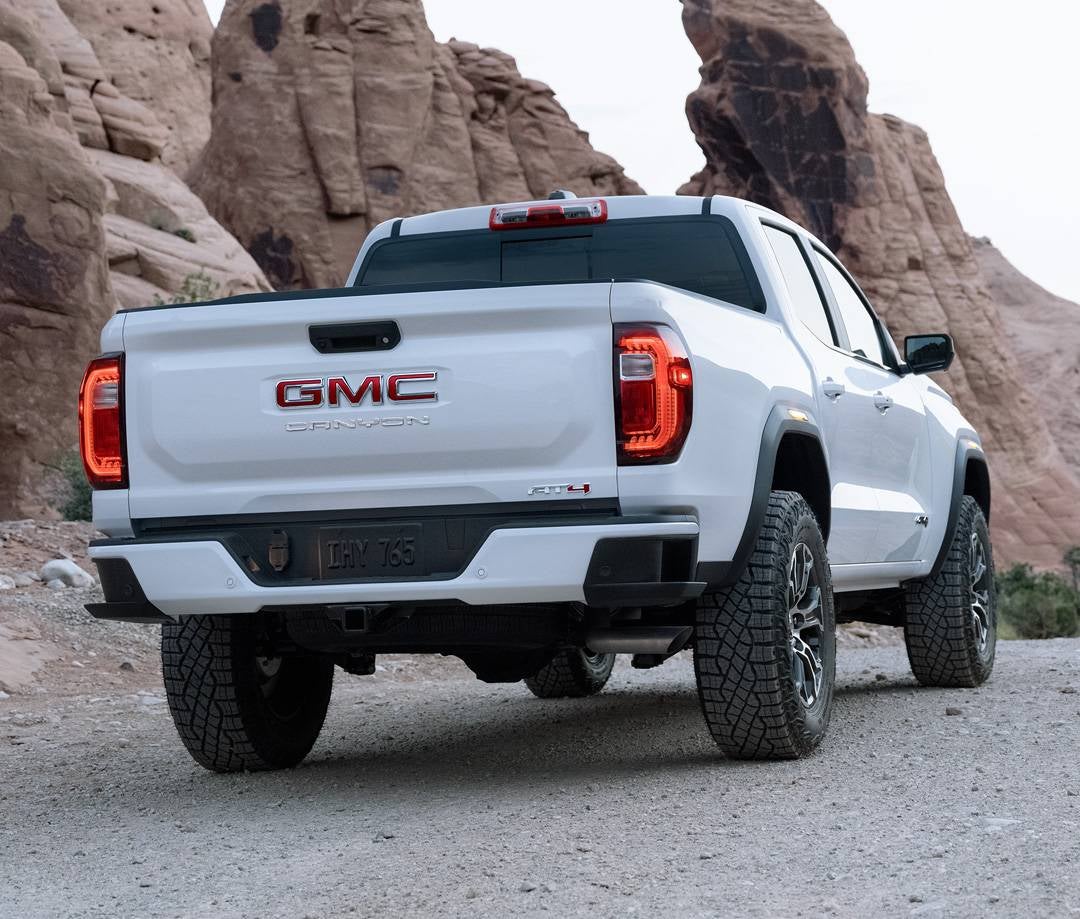
Keeping your 2025 GMC Canyon in top shape means staying on top of routine maintenance—and that includes regular tire rotations. Rotating your tires helps prevent uneven wear, improves traction, and extends the life of your set, ensuring a smoother, safer ride on the roads of Leesburg, Yalaha, Rutland, Haines Creek, and Weirsdale. But how do you do it? Whether you’re a DIY enthusiast or prefer the help of certified technicians, knowing the right tire rotation patterns for your Canyon is key. In this guide, we’ll break down everything you need to know about rotating the tires on your 2025 GMC Canyon, from the right timing to step-by-step instructions. And if you’d rather leave it to the experts, Phillips Buick GMC is here to help with fast, professional service. Visit or contact us today to keep your Canyon running at its best! View GMC Canyon Get Directions Contact Us Understanding Tire Rotation for Your 2025 GMC Canyon Your tires do more than just keep your Canyon moving—they help with traction, handling, and fuel efficiency. Over time, they wear down unevenly, which can cause problems if left unchecked. That’s where tire rotation comes in. Rotating your tires means moving them to different positions on your truck. This helps them wear evenly, keeping your Canyon safe and smooth on the road. Regular Canyon tire maintenance can also save you money by making your tires last longer. Why Tire Rotation Matters Tires don’t wear at the same rate. The front ones usually wear faster because they handle more braking and steering. Rotating them balances out this wear, leading to: Even Tread Wear – Helps tires last longer and perform better. Better Traction – Keeps grip strong in rain, dirt, and turns. A Smoother Ride – Reduces shaking, pulling, or road noise. Improved Fuel Efficiency – Even tires roll better, using less gas. How Often Should You Rotate Tires? The right schedule depends on how you drive. For most 2025 GMC Canyon trucks, follow these general guidelines: Every 5,000 – 7,500 miles for normal driving. Every 3,000 – 5,000 miles if you drive on rough roads or tow often. Check your owner's manual for exact details. Do You Need a Tire Rotation? Not sure if it’s time? Look for these signs: Uneven tread wear – One side looks more worn than the other. Vibration in the steering wheel – Feels rougher at higher speeds. Poor handling – Turns feel loose or traction seems weaker. Lower fuel efficiency – You notice you’re filling up more often. Regular tire rotation for your Canyon can prevent these issues before they start. In the next section, we’ll cover the right rotation patterns based on your truck’s drivetrain. Why Rotating the Tires on Your GMC Canyon Matters Tires wear down with each mile you drive. But they don’t wear at the same rate. The front tires handle more braking and turning, while the rear ones wear more evenly. This uneven wear can cause problems if you don’t rotate your tires on time. Regular tire rotation keeps your truck driving safely and smoothly. It helps prevent early tire wear and can even improve fuel use. If you skip this step, you may face bigger issues down the road. The Benefits of Regular Tire Rotation Rotating your tires does more than just help them last longer. It also improves how your truck handles and keeps you safer. Better Traction – Tires with even tread grip the road better in rain, dirt, or sharp turns. Smoother Ride – Worn tires can cause shaking or pulling to one side. Even wear prevents this. Longer Tire Life – Spreading out the wear helps you get the most miles out of each set. Improved Fuel Efficiency – Tires with even tread roll better, making your truck more fuel-efficient. What Happens If You Don’t Rotate Your Tires? If you don’t rotate the tires on your Canyon, you may notice some warning signs: Uneven tread wear – Some tires will wear faster than others, making them unsafe. Steering issues – Your truck may pull to one side or feel harder to control. Lower gas mileage – The engine has to work harder when tires don’t roll smoothly. Risk of a blowout – Worn tires are more likely to fail, especially in hot weather or on rough roads. Routine Canyon tire maintenance helps avoid these issues. The right tire rotation schedule keeps your truck running at its best. In the next section, we’ll cover how often you should rotate your tires to get the most out of them. How Often Should You Rotate the Tires on a 2025 GMC Canyon? Tires wear down at different rates depending on how and where you drive. Regular tire rotation helps them last longer and keeps your truck safe. If you wait too long, you may notice uneven wear, poor handling, or even a drop in fuel efficiency. General Tire Rotation Guidelines For most drivers, the best time to rotate tires is based on mileage. Follow these general rules to keep your tires in top shape: Every 5,000 – 7,500 miles for normal driving. Every 3,000 – 5,000 miles if you drive on rough roads, tow heavy loads, or off-road often. Check your owner’s manual for exact recommendations. Signs You Need a Tire Rotation Sooner Sometimes, tires need to be rotated before the usual schedule. Look for these warning signs: Uneven tread wear – One tire looks more worn than the others. Steering vibration – A shaky steering wheel, especially at higher speeds. Reduced traction – Less grip in wet or slippery conditions. Pulling to one side – Your truck doesn’t stay straight without extra effort. Skipping Canyon tire maintenance can lead to faster tire wear and costly replacements. By following the right schedule, you’ll extend the life of your tires and keep your truck running smoothly. In the next section, we’ll go over the best rotation patterns based on your drivetrain. Tire Rotation Patterns for the 2025 GMC Canyon Rotating your tires is not as simple as moving them around. The correct pattern depends on your truck’s drivetrain and tire type. Using the wrong pattern can lead to uneven wear and poor handling. Choosing the Right Tire Rotation Pattern The best rotation pattern for your truck depends on whether it has front-wheel drive (FWD), rear-wheel drive (RWD), or all-wheel drive (AWD). Each setup wears tires differently. Front-Wheel Drive (FWD) Move the front tires straight to the back. Cross the rear tires when moving them to the front. Rear-Wheel Drive (RWD) Move the rear tires straight to the front. Cross the front tires when moving them to the back. All-Wheel Drive (AWD) Use a crisscross pattern. Move each tire diagonally. Directional vs. Non-Directional Tires Your tires also impact how they should be rotated. Directional tires have a tread pattern designed to roll in one direction. Move them front to back on the same side. Non-directional tires can be rotated using standard crisscross patterns. Following the right tire rotation method helps your Canyon drive smoothly and safely. In the next section, we’ll walk through the steps to rotate your tires at home. Step-by-Step Guide: How to Rotate Your GMC Canyon’s Tires at Home Rotating your tires at home can save time and money. With the right tools and steps, you can do it safely and correctly. Proper Canyon tire maintenance helps keep your truck running smoothly while preventing early tire wear. What You’ll Need Before starting, gather the necessary tools: Car jack Jack stands Lug nut wrench Tire pressure gauge Torque wrench Step-by-Step Tire Rotation Prepare Your Truck - Park on a flat surface and engage the parking brake. Loosen the lug nuts on each wheel, but don’t remove them yet. Lift and Secure the Vehicle - Use the jack to lift one side of the truck. Place jack stands under the frame for support. Repeat for the other side until all four wheels are off the ground. Rotate the Tires Using the Correct Pattern - Follow the correct tire rotation pattern based on your truck’s drivetrain: Rear-wheel drive (RWD) – Move the rear tires straight to the front. Cross the front tires when moving them to the back. All-wheel drive (AWD) – Use a crisscross pattern where each tire moves diagonally. Reinstall the Tires - Place each tire in its new position and tighten the lug nuts by hand. Lower the truck back to the ground using the jack. Secure the Lug Nuts and Check Pressure - Use a torque wrench to tighten each lug nut in a star pattern. This keeps the wheels secure. Check the air pressure in all four tires and adjust if needed. Regular tire rotation helps your Canyon stay safe and efficient. In the next section, we’ll go over signs that your tires need rotation sooner than expected. Frequently Asked Questions Where are the jacking points on the 2025 GMC Canyon for a safe rotation? The 2025 GMC Canyon has jacking points located behind the front wheels and in front of the rear wheels along the frame rails. Always use these points to prevent damage to the undercarriage. Do I need to align the tires after rotating on a Canyon? No, an alignment is not always necessary after a tire rotation. However, if you notice uneven wear, pulling to one side, or steering issues, an alignment check may be needed. What tire pressure adjustments should I make before and after rotation? Check the recommended tire pressure in the owner’s manual or on the driver’s side door sticker. Before rotation, ensure all tires are inflated to the correct PSI. After rotation, recheck and adjust the pressure as needed, since front and rear tires may have different recommended pressures. Keep Your 2025 GMC Canyon Running Smooth with Tire Care Regular tire maintenance is key to keeping your 2025 GMC Canyon safe and efficient. Rotating your tires on time helps prevent uneven wear, improves handling, and extends their lifespan. If you’d rather leave the job to the experts, Phillips Buick GMC is here to help. Our skilled technicians provide fast and reliable tire services to keep your truck running at its best. If you’re in Leesburg, Yalaha, Rutland, Haines Creek, or Weirsdale, visit us today. We offer a wide selection of vehicles, including the GMC Canyon, along with expert service to keep your truck in top shape. Whether you're looking for a new ride or need professional tire maintenance, our team is ready to assist you. Keeping up with routine vehicle care goes beyond tire rotations. If your odometer just passed 100K miles, knowing what comes next is essential. If it’s time for a spark plug replacement, following the right steps can keep your engine running smoothly. And if you’re in the market for a new vehicle, make sure you know what to bring on a test drive to get the best experience. For more information about tire rotation and maintenance, visit our tire service page. Let Phillips Buick GMC help you stay safe on the road! Get Directions to Phillips Buick GMC Disclaimer: All information is provided for general informational and entertainment purposes only. While we strive for accuracy, we cannot guarantee that all content is complete, current, or error-free. Any reliance you place on such information is strictly at your own risk. This article may include opinions and is not endorsed by, or officially affiliated with, any vehicle manufacturer or brand. Always consult official sources – such as the vehicle’s owner’s manual, authorized dealerships, or certified professionals – for the most up-to-date and personalized information.

2025 Buick Enclave tires up close

How to Rotate the Tires on Your 2025 Buick Enclave

Keeping your 2025 Buick Enclave running smoothly starts from the ground up—literally. Regular tire rotations are a simple but essential part of vehicle maintenance, ensuring even wear, better traction, and a longer lifespan for your tires. Whether you’re cruising through Leesburg, Yalaha, or Weirsdale, properly rotated tires mean a safer, smoother ride. In this guide, we’ll break down the essentials of tire rotation, from the best patterns to DIY tips. Need expert service? Visit or contact Phillips Buick GMC, where our certified technicians can handle your tire maintenance with precision and care! How to Rotate the Tires on Your Buick Enclave at Home Rotating your tires at home can help extend their life and improve performance. With the right tools and steps, you can do it safely. Follow this tire rotation guide for the Enclave to get started. What You’ll Need to Rotate Your Enclave's Tires Before you begin, gather these tools: Car jack Jack stands (four for safety) Lug wrench Tire pressure gauge Step-by-Step Tire Rotation Process For a Buick Enclave Park on a Level Surface – Engage the parking brake for safety. Loosen the Lug Nuts – Slightly loosen the nuts on each wheel before lifting the vehicle. Lift the Vehicle – Use the car jack to raise one side. Secure it with jack stands. Remove the Tires – Take off each tire and inspect for wear or damage. Rotate Based on Your Drivetrain – Follow the right pattern: Front-Wheel Drive (FWD) – Move front tires straight back. Swap rear tires to the front, switching sides. Rear-Wheel Drive (RWD) – Move rear tires straight to the front. Swap front tires to the rear, switching sides. All-Wheel Drive (AWD) – Swap all four tires diagonally. Check Tire Pressure – Use a gauge to ensure all tires are properly inflated. Reinstall Tires – Hand-tighten the lug nuts before lowering the car. Lower the Vehicle – Remove the jack stands and bring the car down slowly. Tighten Lug Nuts Fully – Use the lug wrench to tighten in a star pattern for even pressure. Final Checks After rotating, take a short drive to make sure everything feels right. If you notice vibrations or pulling, double-check the lug nuts and tire pressure. Regular Enclave tire maintenance keeps your ride smooth and safe. If you need help, visit Phillips Buick GMC for expert service. Why Regular Tire Rotations Matter for Your Enclave Tire rotation is one of the easiest ways to keep your 2025 Enclave driving smoothly. Over time, tires wear down at different rates. If left unchecked, this uneven wear can cause handling issues, reduce fuel efficiency, and shorten the life of your tires. A proper tire rotation guide for the Enclave helps you stay ahead of these problems. Benefits of Regular Tire Rotations Rotating your tires on schedule helps in several ways: Even Tread Wear – Front and rear tires wear differently. Rotation balances this wear for a longer lifespan. Better Traction – Evenly worn tires improve grip on wet and dry roads. Smoother Ride – Uneven tires can cause vibrations. Regular rotation ensures a more comfortable drive. Improved Fuel Efficiency – Worn tires make your engine work harder, using more gas. Rotation helps maintain better mileage. Enhanced Safety – Tires with even wear provide better handling, braking, and stability on all road conditions. How Uneven Tire Wear Happens Front and rear tires don’t wear out the same way. The front tires tend to wear more on the edges due to turning, while rear tires experience more even wear but less stress. If you don’t rotate the tires on your Buick Enclave 2025, the front tires will wear out faster. This can lead to reduced traction, lower performance, and costly replacements sooner than expected. How Often Should You Rotate? Most experts recommend rotating tires every 5,000 to 7,500 miles. However, always check your owner’s manual for the best schedule. Proper Enclave tire maintenance means staying consistent with rotations to extend the life of your tires and improve performance. Not sure if it’s time for a rotation? Visit Phillips Buick GMC for expert service. Our team will inspect your tires and ensure they’re in top shape for the road ahead. How Often Should You Rotate the Tires on Your 2025 Buick Enclave? Tire rotation is a key part of keeping your vehicle in top shape. It helps prevent uneven wear and extends the life of your tires. But how often should you rotate them? The answer depends on your driving habits, road conditions, and whether your vehicle has front-wheel drive, all-wheel drive, or rear-wheel drive. Recommended Rotation Schedule Most experts suggest rotating your tires every 5,000 to 7,500 miles. However, different factors can affect this timeline: Front-Wheel Drive (FWD) – Rotate every 5,000 to 7,500 miles to balance front tire wear. All-Wheel Drive (AWD) – Rotate every 3,000 to 5,000 miles since all tires wear faster. Rear-Wheel Drive (RWD) – Rotate every 5,000 to 7,500 miles to reduce stress on rear tires. For the best results, always check your owner's manual for specific Enclave tire maintenance guidelines. Signs Your Tires Need Rotation Sooner Sometimes, your tires need attention before the recommended mileage. Look for these warning signs: Uneven tread wear – One side of the tire looks more worn than the other. Vibrations while driving – The steering wheel shakes, especially at high speeds. Reduced fuel efficiency – Worn tires make your engine work harder. Pulling to one side – The vehicle doesn’t stay straight when driving. If you notice any of these issues, it may be time to rotate the tires on your 2025 Buick Enclave sooner than expected. Driving Conditions That Impact Tire Wear Your driving habits and location play a role in how often you need a tire rotation. Certain conditions can accelerate tire wear, such as: Frequent stop-and-go traffic – Causes faster wear on front tires. Rough or unpaved roads – Leads to uneven tread wear. High-speed driving – Increases overall tire wear. Carrying heavy loads – Puts extra stress on all tires. If you drive in areas like Leesburg, Yalaha, or Weirsdale, rough roads or frequent braking could mean more frequent rotations. For expert help, visit Phillips Buick GMC. Our certified technicians follow the best tire rotation guide for the Enclave to keep your ride smooth and safe. Recognizing When Your Enclave Needs a Tire Rotation Rotating your tires at the right time helps your vehicle drive smoothly and safely. But how do you know when it's time? Keeping an eye on tread wear, handling changes, and fuel use can help. Common Signs Your Tires Need Rotation If you notice any of these warning signs, it may be time for service: Uneven Tread Wear – Some tires look more worn than others, affecting traction and safety. Vibrations While Driving – If the steering wheel shakes, especially at high speeds, uneven tires may be the cause. Pulling to One Side – The vehicle drifts left or right even when driving straight. Poor Fuel Efficiency – Worn tires make the engine work harder, using more gas. Tread Wear Patterns to Watch For Different types of tread wear can indicate when to rotate your tires: Edge Wear – Front tires are wearing out faster, meaning rotation is needed to balance wear. Center Wear – Overinflation is causing too much contact in the middle. Check tire pressure. Cupping – Suspension issues or unbalanced tires could be the cause. Rotation and alignment may be needed. When to Check Your Tires A good rule is to inspect your tires once a month. Look at the tread, check the pressure, and feel for any rough spots. If you’re unsure, follow a tire rotation guide for the Enclave to keep them in the best shape. If any of these signs appear, it’s time for service. Visit Phillips Buick GMC for expert Enclave tire maintenance and a smooth, safe ride. Choosing the Right Tire Rotation Pattern for Your Buick Enclave Not all tires wear the same way. The right rotation pattern helps balance wear, extend tire life, and improve handling. The best method depends on your vehicle’s drivetrain and tire type. Standard Tire Rotation Patterns Most vehicles follow one of these common rotation patterns: Front-Wheel Drive (FWD) – Move front tires straight back. Move rear tires to the front, swapping sides. Rear-Wheel Drive (RWD) – Move rear tires straight to the front. Move front tires to the rear, swapping sides. All-Wheel Drive (AWD) – Swap all four tires diagonally. Following the correct tire rotation guide for the Enclave ensures even wear and better performance. Directional vs. Non-Directional Tires Tire design affects how they should be rotated: Directional Tires – These have tread designed to roll in one direction. Swap front and rear tires on the same side. Non-Directional Tires – These can rotate in any direction. Use the standard rotation pattern for your drivetrain. Why the Right Rotation Pattern Matters Using the correct pattern helps: Prevent uneven tread wear Improve traction and stability Reduce road noise and vibrations Extend tire life and save money Proper Enclave tire maintenance includes following the right rotation pattern. If you’re unsure, let the experts at Phillips Buick GMC handle it for you. How often should I rotate the tires on my 2025 Buick Enclave? Tires should be rotated every 5,000 to 7,500 miles, but check your owner’s manual for exact recommendations. Are there specific rotation patterns recommended for different wheel sizes? Yes, the rotation pattern depends on the drivetrain and tire type: Front-Wheel Drive (FWD) – Move the front tires straight back and switch the rear tires to the front, swapping sides. Rear-Wheel Drive (RWD) – Move the rear tires straight forward and switch the front tires to the back, swapping sides. All-Wheel Drive (AWD) – Use an X-pattern, swapping all four tires diagonally. Do I need to rebalance the tires after rotating them? It’s not always required, but it’s recommended if you notice vibrations, uneven wear, or if weights were removed during rotation. Keep Your Buick Enclave Running Smoothly with Tire Care Regular tire rotations keep your vehicle running smoothly and help extend the life of your tires. Whether you rotate them at home or prefer expert service, staying on top of maintenance is key to safe driving. If you’re in Leesburg, Yalaha, Rutland, Haines Creek, or Weirsdale, visit Phillips Buick GMC for professional tire care. We also offer a wide selection of vehicles, including the 2025 Buick Enclave, to fit your lifestyle. Want to learn more about your vehicle? Find out how far you can go on a full tank of gas in the Buick Enclave. Need help with Buick error codes and their meanings? We’ve got you covered. If you’re shopping for a larger vehicle, explore seating capacities in the 2025 GMC lineup to find the right fit. For more details on tire rotation services, visit our tire center today!

2025 GMC Acadia Interior Seating

Seating Capacities in the 2025 GMC Lineup

When it comes to finding the right vehicle, seating capacity matters—whether you need a rugged pickup for work, an SUV with third-row seating for family trips, or something in between. The 2025 GMC lineup delivers on comfort, versatility, and premium features across models like the Sierra, Yukon, and Acadia. At Phillips Buick GMC, we’re here to help you find the perfect GMC that fits your needs. Whether you’re cruising through Leesburg, Yalaha, Rutland, Haines Creek, or Weirsdale, we’ve got a vehicle with the right number of seats—and the right level of luxury—for you. Stop by our dealership or contact us today to explore your options and experience GMC comfort firsthand! How many seats does the 2025 GMC Sierra 1500 have? The 2025 GMC Sierra 1500 seats up to six passengers, depending on the cab configuration. How many seats does the 2025 GMC Sierra HD have? The 2025 GMC Sierra HD offers seating for up to six passengers, based on trim and cab choice. How many seats does the 2025 GMC Canyon have? The 2025 GMC Canyon has seating for up to five passengers in its Crew Cab configuration. How many seats does the 2025 GMC Acadia have? The 2025 GMC Acadia seats up to seven passengers with its three-row seating configuration. How many seats does the 2025 GMC Terrain have? The 2025 GMC Terrain has seating for five passengers in two rows. How many seats does the 2025 GMC Hummer EV SUV have? The 2025 GMC Hummer EV SUV provides seating for up to five passengers. How many seats does the 2025 GMC Hummer EV Pickup have? The 2025 GMC Hummer EV Pickup seats up to five passengers. How many seats does the 2025 GMC Sierra EV have? The 2025 GMC Sierra EV offers seating for up to five passengers. How many seats does the 2025 GMC Yukon have? The 2025 GMC Yukon seats up to eight passengers, with an option for seven seats with captain’s chairs. How many seats does the 2025 GMC Yukon XL have? The 2025 GMC Yukon XL provides seating for up to eight passengers, with an option for seven seats in select trims. How many seats does the 2025 GMC Savana Cargo have? The 2025 GMC Savana Cargo Van has seating for two passengers in the front. How many seats does the 2025 GMC Savana Passenger have? The 2025 GMC Savana Passenger Van can seat up to 15 passengers, depending on configuration. How many seats does the 2025 GMC Savana Cutaway have? The 2025 GMC Savana Cutaway is customizable, with seating depending on the body upfit. How many seats does the 2025 GMC Sierra 3500 HD Chassis Cab have? The 2025 GMC Sierra 3500 HD Chassis Cab seats up to six passengers with the right cab option. Comparing GMC Seating Capacities: Which Model Fits Your Needs? Choosing the right GMC model means finding the perfect mix of space, comfort, and function. Whether you need a work truck, a family SUV, or an adventure-ready vehicle, there’s a GMC that fits your lifestyle. Some models offer extra seating, while others prioritize cargo space and versatility. Side-by-Side Seating Comparison Each GMC model offers a unique seating configuration designed to match different needs: Sierra: Seats up to six—ideal for work, towing, and off-road trips. Acadia: Seats up to seven—great for small families and daily commutes. Yukon: Seats up to eight—perfect for large families and long trips. Which Model Is Right for You? The best choice depends on your specific needs: Need extra seating? The Yukon offers the most space, with room for up to eight passengers. Looking for flexibility? The Acadia features adjustable seating, making it easy to switch between passengers and cargo. Want a mix of power and comfort? The Sierra seats up to six while maintaining strong towing capabilities. GMC Third-Row Seating: More Room When You Need It If you require a third row, an SUV is the way to go. Both the Yukon and Acadia feature fold-flat seating, providing additional space when needed. Yukon: Third-row seating with a fold-flat option Acadia: Third-row seating with a fold-flat option Sierra: No third-row seating Find the Best Fit for Your Needs For work and heavy loads: Choose a truck with strong power and flexible seating. For families and road trips: Pick an SUV with third-row seating and a spacious cabin. For a mix of both: Go for a mid-size SUV with seating for up to seven. No matter what you need, GMC offers a model with the right seating capacity for your lifestyle. Stop by Phillips Buick GMC today to find your perfect match! Luxury and Technology Features That Enhance GMC Seating GMC vehicles offer more than just space—they deliver comfort, convenience, and advanced technology to every seat. Whether you’re in the front, middle, or third row, every ride feels smooth and refined. Comfort Features for Every Passenger The seats in a GMC are designed for long drives and daily commutes, featuring soft materials and ergonomic designs to keep every passenger comfortable. Heated and ventilated seats provide year-round comfort. Power-adjustable seating allows you to find the perfect position. Memory settings make it easy to switch between drivers. Massage functions in premium trims enhance relaxation. Advanced Tech for a Better Ride GMC models are equipped with smart technology that improves every trip, making driving more enjoyable and convenient. Wireless charging keeps devices powered without messy cables. Rear climate control allows passengers to set their own temperature. USB ports in all rows keep phones and tablets charged. Power-folding seats make switching between cargo and seating effortless. GMC Third-Row Seating: Space and Convenience Larger GMC SUVs offer extra seating for family and friends, but third-row comfort can be a challenge. GMC solves this with extra legroom, soft seating, and easy access. One-touch fold-down seats allow quick adjustments. Flat-folding design creates more cargo space when needed. Wide door openings make entry and exit easier. A Premium Experience in Every Model For work trucks: Luxury features make long drives easier on your back. For family SUVs: High-end seating enhances road trip comfort. For adventure seekers: Smart storage and flexible seating let you pack with ease. Every GMC seating option is designed for comfort and convenience. Visit Phillips Buick GMC to see these features in action and find your perfect ride! Find the Perfect GMC for Your Needs Choosing the right seating capacity is key to finding a vehicle that fits your lifestyle. Whether you need a work-ready truck, a spacious SUV, or a versatile crossover, GMC has a model for you. At Phillips Buick GMC, we’re proud to serve drivers in Leesburg, Yalaha, Rutland, Haines Creek, and Weirsdale with a wide selection of vehicles. Explore our lineup, including the Sierra, Yukon, and Acadia, and find the right combination of comfort, power, and space for your needs. Our team is here to help you compare models, test features, and choose the best option. Looking for more details on trim, color, and engine options for the latest GMC models? Want to learn why your brakes may be squeaking or need expert collision and auto body repair for your Buick or GMC? We have the resources to help. Browse our latest GMC inventory here and take the next step toward your new ride. Stop by or contact us today!

2025 Buick Enclave SUV in White

How Far Can You Get on A Full Tank of Gas in Your Buick Enclave? [2025]

Ever wondered just how far your Buick can take you on a full tank of gas? Whether you're planning a long road trip or just want to maximize your fuel efficiency, knowing your Buick’s range is key. The fuel-sipping Encore GX to the highway-cruising Enclave, Buick models are designed to go the distance. In this guide, we’ll break down the estimated fuel range for the 2025 Buick enclave and share tips to help you get the most out of every gallon. If you're looking for a fuel-efficient Buick or need expert advice on maintaining your vehicle’s performance, Phillips Buick GMC is here to help! Visit us today or contact our team to explore the latest Buick lineup and find the perfect model for your driving needs. Service Department Get Directions Contact Us How Far Can the 2025 Buick Enclave Travel on a Full Tank? The 2025 Buick Enclave is built for long drives, offering an impressive fuel range thanks to its 21-gallon fuel tank. Whether you're commuting in the city, cruising on the highway, or experiencing a mix of both, this SUV provides solid mileage before needing a refill. Estimated Driving Range City Driving: 18 MPG – Expect to travel up to 378 miles before refueling. Highway Driving: 26 MPG – On open roads, the Enclave can cover approximately 546 miles on a full tank. Combined (City & Highway): 21 MPG – A balanced mix of city and highway driving results in an estimated 441 miles per tank. ( Ranges may vary based on road conditions, driving habits, and cargo weight.) How Many Miles Before You Need to Refuel? Daily commutes: If most of your driving is in stop-and-go traffic, you can travel about 378 miles before needing to refuel. Highway trips: Expect to cover up to 546 miles on a long road trip without stopping for gas. Mixed driving: In normal driving conditions, you’ll likely get around 441 miles per full tank. The 2025 Buick Enclave delivers an excellent combination of power and fuel efficiency, making it a great choice for drivers who want both performance and long-distance capability. If you're ready for a test drive, visit Phillips Buick GMC today! Maximizing Your Buick Enclave’s Fuel Efficiency Getting the most out of every tank of gas can help you save time and money. Even small changes to your driving habits can make a big difference in fuel consumption, allowing you to go farther between fill-ups. Easy Ways to Improve Fuel Efficiency Drive smoothly – Avoid sudden starts and stops. Maintaining a steady speed helps gas last longer. Use cruise control – Keeping a consistent pace on highways reduces fuel consumption. Check tire pressure – Underinflated tires create more drag and make the engine work harder. Regularly check and maintain proper pressure. Limit extra weight – Carrying unnecessary cargo increases fuel use. Remove heavy items you don’t need. Use the right fuel – Always follow Buick’s fuel recommendations for optimal engine performance and efficiency. Reduce idling – Letting the engine run while parked wastes gas. Turn it off when waiting for long periods. Plan Ahead for Longer Trips Want to maximize your fuel range and minimize gas station stops? The Buick Enclave’s impressive fuel efficiency allows for fewer refuels. Here’s how you can make the most of each trip: Map your route – Choose the shortest and most efficient path to your destination. Avoid traffic – Stop-and-go driving burns more fuel, so plan routes that bypass congestion when possible. Use Eco Mode – Activating Eco Mode helps the engine operate more efficiently, especially during long drives. Limit AC use – Air conditioning can lower MPG, particularly in city driving, so use it wisely. With these simple steps, you can get the best mileage out of your 2025 Buick Enclave while enjoying a smooth and efficient ride. Stop by Phillips Buick GMC today to learn more about fuel-saving features and take a test drive! How the Buick Enclave’s Fuel Range Supports Long-Distance Travel A great road trip starts with the right vehicle. The Buick Enclave offers the space, comfort, and fuel range you need for long drives. With fewer stops for gas, you can focus on the journey ahead. How Far Can You Go on a Full Tank? With a 21-gallon fuel tank and an estimated 21 MPG combined, the Enclave can travel around 441 miles before needing a refill. That means you can cover: A trip from Orlando to Atlanta without stopping. The stretch from Dallas to New Orleans on one tank. A drive from Los Angeles to San Francisco with miles to spare. Why the Enclave is Ideal for Road Trips Spacious seating – Room for everyone to relax. Large cargo space – Pack more without feeling cramped. Smooth ride – Less fatigue on long drives. Great fuel range – Drive longer without frequent gas stops. If you love road trips, the Enclave is a great choice. Stop by Phillips Buick GMC to see it in person! How far can a 2025 Buick Enclave get on a full tank of gas? A 2025 Buick Enclave can travel up to 546 miles on the highway, 378 miles in the city, and approximately 441 miles combined on a full tank. How far can a 2025 Buick Encore GX get on a full tank of gas? I don’t have the exact fuel range for the 2025 Buick Encore GX. Please provide details on its MPG and fuel tank size so I can calculate the estimated range. How far can a 2025 Buick Envista get on a full tank of gas? I don’t have the exact fuel range for the 2025 Buick Envista. Please share its MPG and fuel tank capacity so I can determine the estimated mileage. How far can a 2025 Buick Envision get on a full tank of gas? I don’t have the exact fuel range for the 2025 Buick Envision. If you can provide details on its MPG and fuel tank size, I can estimate how far it can travel per tank. What factors affect the mileage I can get on a full tank in my 2025 Buick? Several factors impact your Buick’s fuel range, including driving habits, road conditions, cargo weight, tire pressure, and use of air conditioning. Does driving style or road conditions significantly impact fuel range? Yes, aggressive driving, frequent acceleration, stop-and-go traffic, and steep inclines can lower fuel efficiency, while steady speeds on highways help maximize range. Which Buick models offer the longest driving range on a single tank? The 2025 Buick Enclave has one of the longest ranges, offering up to 546 miles on the highway. Other models may have different fuel capacities and efficiency levels, so exact comparisons depend on their specifications. Find Your Next Buick Enclave at Phillips Buick GMC If you’re looking for a vehicle with great fuel range, comfort, and style, visit Phillips Buick GMC. We proudly serve drivers from Leesburg, Yalaha, Rutland, Haines Creek, and Weirsdale. Whether you need an SUV for long road trips or a daily driver, we have a wide selection of vehicles to explore, including the Buick Enclave. Want to learn more about trim and paint options on the 2025 Buick Envista or Buick Enclave? Or maybe you're wondering, how often does my Buick need an oil change? We’ve got you covered. Check out our new Buick inventory and find the model that fits your needs. Stop by today or contact us to schedule a test drive. We’re here to help you find the perfect Buick! Get Directions to Phillips Buick GMC Disclaimer: All information is provided for general informational and entertainment purposes only. While we strive for accuracy, we cannot guarantee that all content is complete, current, or error-free. Any reliance you place on such information is strictly at your own risk. This article may include opinions and is not endorsed by, or officially affiliated with, any vehicle manufacturer or brand. Always consult official sources – such as the vehicle’s owner’s manual, authorized dealerships, or certified professionals – for the most up-to-date and personalized information.

2025 Buick Envision Interior and Dashboard

Buick Error Response Codes and Their Meaning [2025]

Your Buick is a smart machine, designed to keep you informed about its health. But when an error code pops up on your dashboard, it can feel like your car is speaking a foreign language. Whether it’s a simple maintenance reminder or a sign of a more serious issue, understanding Buick error response codes can help you take action before small problems turn into costly repairs. In this guide, we’ll break down common Buick error codes for 2025 models, what they mean, and what you should do next. And if you ever need expert diagnostics or service, Phillips Buick GMC is here to help. Visit us or give us a call —we’ll get you back on the road with confidence! Service Department Get Directions Contact Us Seat Belt and Airbag Warning Codes Safety systems like seat belts and airbags help protect you in an accident. When a warning light appears, it means something needs attention. Common warning codes include: B0020 – Airbag sensor issue in the driver’s seat B0015 – Passenger airbag sensor fault B0074 – Seat belt switch malfunction B0081 – Side impact airbag sensor problem If you see one of these codes, take action: Check the seat belts – Make sure they click into place and retract properly. Look for loose wires – A bad connection under the seat may trigger a false warning. Restart the vehicle – Some warnings reset after turning the car off and back on. Visit a professional – A technician can diagnose the issue and ensure your safety system works as designed. Ignoring these warnings can put you at risk. If the airbag system is not working, it may not deploy in a crash. If the seat belt sensor malfunctions, it could prevent proper restraint. Always address safety codes quickly. Safety and Driver Assistance System Alerts Modern vehicles use advanced systems to keep drivers safe. When a warning appears, it often means a sensor or feature needs attention. Common alerts include: C0040 – Front camera sensor blocked or misaligned U0415 – Fault in electronic stability control system B390A – Lane departure warning system error C0710 – Steering angle sensor malfunction If you see one of these alerts, follow these steps: Clean sensors and cameras – Dirt or debris can block them and cause false warnings. Restart the vehicle – Some systems reset when the car is turned off and back on. Check for obstructions – Make sure nothing is blocking the front grille, windshield, or mirrors. Visit a technician – I f the alert remains, a professional can diagnose and fix the issue. These alerts help prevent accidents and improve control. Addressing them quickly ensures your vehicle’s safety features work as they should. Braking, Acceleration, and Steering System Warnings Your vehicle’s braking, acceleration, and steering systems are crucial for safe driving. When a warning light appears, it signals a potential issue. Addressing these alerts quickly can prevent serious problems on the road. Common Warning Codes and Their Meanings C0035 – ABS wheel speed sensor malfunction C0050 – Brake system pressure sensor fault P0500 – Vehicle speed sensor failure C0545 – Power steering assist problem What to Do If You See a Warning Check your brakes – If braking feels weak or unresponsive, pull over safely. Restart the vehicle – A system reset may clear minor errors. Inspect fluid levels – Low brake or power steering fluid can trigger alerts. Schedule a service – A technician can diagnose the issue and prevent further damage. These warnings help ensure safe handling and control. Ignoring them can lead to costly repairs or accidents. Engine and Battery Warning Lights Your engine and battery systems are the heart of your vehicle. When a warning light appears, it signals a possible issue that needs attention. Ignoring these alerts can lead to breakdowns or expensive repairs. Common Engine and Battery Warning Codes P0300 - Random engine misfire detected P0420 - Catalytic converter efficiency low P0562 - System voltage too low P0625 - Generator control circuit failure What to Do If a Warning Light Comes On Check for visible issues – Look for loose battery cables or oil leaks. Restart your vehicle – A simple reset may clear minor warnings. Test your battery – Weak or failing batteries can trigger alerts. Seek professional help – A certified technician can diagnose and fix the problem. These warnings help protect your vehicle from major damage. Addressing them quickly keeps your car running smoothly. Lighting and Visibility System Alerts Your vehicle’s lighting and visibility systems help ensure safe driving in all conditions. When a warning appears, it may signal a burnt-out bulb, sensor failure, or electrical issue. Addressing these problems quickly improves safety and visibility on the road. Common Lighting and Visibility Warning Codes B2575 - Headlamp control circuit failure B2735 - Daytime running lights circuit fault C0780 - Automatic headlamp sensor malfunction U0232 - Lost communication with rain sensor What to Do If a Warning Light Comes On Check your lights – Make sure all headlights, brake lights, and turn signals are working. Inspect for damage – Look for cracked lenses, moisture inside lights, or loose connections. Clean sensors – Dirt or debris can block rain and light sensors, causing false alerts. Visit a technician – If the issue persists, a professional can diagnose and repair it. Clear vision is key to safe driving. Fixing these issues promptly helps keep you and others safe on the road. What to Do When You See a Buick Error Code Seeing a warning light on your dashboard can be stressful. But don’t panic. Your vehicle is trying to tell you something. Here’s what to do next. Step 1: Check for Urgent Issues Some warnings mean you need to act fast. If you notice any of these, pull over and turn off the engine: Flashing check engine light – This could mean an engine misfire. Driving further may cause damage. Overheating warning – If the temperature gauge is too high, stop the car and let it cool down. Low oil pressure – Driving with low oil pressure can harm the engine. Check the oil level right away. Step 2: Note the Error Code If your vehicle has a display that shows error codes, write them down. If not, a diagnostic scanner can help. Step 3: Check for Simple Fixes Some issues have quick solutions: Loose gas cap – A missing or loose cap can trigger an emissions warning. Tighten it and restart the car. Low battery voltage – A weak battery can cause sensor errors. Check if your battery needs a charge. Dirty air filter – A clogged filter can affect airflow and fuel use. Replacing it may solve the issue. Step 4: Decide if You Need a Mechanic Some problems need expert care. If you have any of these signs, seek help: Car won’t start – A dead battery, bad starter, or sensor issue may be the cause. Rough shifting – A transmission warning could mean low fluid or a failing part. Poor fuel use – If your gas mileage drops, an engine or sensor problem may be to blame. Step 5: Get a Professional Checkup If the issue does not go away, visit a service center. A trained technician can find the cause and fix it. At Phillips Buick GMC, we have the right tools to read and clear error codes. Stop by or give us a call for expert help! How do I scan and interpret Buick error codes for 2025 models? You can scan error codes using an OBD-II scanner. Plug it into the diagnostic port under the dashboard, turn on the ignition, and read the code on the scanner’s display. Refer to a Buick-specific code chart or your owner’s manual to understand the meaning. Can error codes be cleared after fixing the underlying problem? Yes, error codes can be cleared after repairs. Some codes disappear automatically once the issue is resolved. Others require an OBD-II scanner to reset the system. Should I visit a dealership or local mechanic for recurring error codes? A dealership is the best choice for manufacturer-specific problems, warranty concerns, and software updates. A local mechanic can handle general issues but may lack specialized tools for Buick diagnostics. Expert Buick Service & Sales at Phillips Buick GMC! Keeping your vehicle in top shape means knowing what warning lights and error codes mean. If you need expert help, Phillips Buick GMC is here to assist. Our skilled technicians can diagnose and fix any issues quickly. Drivers in Leesburg, Yalaha, Rutland, Haines Creek, and Weirsdale can also explore our Encore GX, Enclave, Envision, and Envista models. Whether you're looking for a new ride or need service, we have you covered. Want to learn more about vehicle care? Check out our guide on auto body and collision repair in Fruitland Park. If you drive a diesel truck, you may also be interested in which GMC trucks come with a diesel engine or whether any mechanic can work on diesel trucks. For service, sales, or questions, contact Phillips Buick GMC today! Get Directions to Phillips Buick GMC Disclaimer: All information is provided for general informational and entertainment purposes only. While we strive for accuracy, we cannot guarantee that all content is complete, current, or error-free. Any reliance you place on such information is strictly at your own risk. This article may include opinions and is not endorsed by, or officially affiliated with, any vehicle manufacturer or brand. Always consult official sources – such as the vehicle’s owner’s manual, authorized dealerships, or certified professionals – for the most up-to-date and personalized information.

2025 GMC Acadia dashboard and steering wheel

GMC Error Response Codes: What they Mean & How to Fix Them [2025]

Seeing a warning light or an error code pop up on your GMC’s dashboard can be frustrating—but don’t panic! These codes are your vehicle’s way of telling you something needs attention, whether it’s a minor issue or a more serious repair. Understanding what these error codes mean and how to fix them can save you time, money, and unnecessary stress. In this guide, we’ll break down the most common GMC error response codes, explain their meanings, and provide practical solutions to get you back on the road with confidence. And if you ever need expert assistance, Phillips Buick GMC is here to help. Visit us or give us a call for top-tier service and professional diagnostics! Service Department Get Directions Contact Us Common GMC Programming Error Codes and Their Solutions Modern vehicles rely on complex computer systems. When something goes wrong, the system generates an error code. Understanding these codes helps you fix issues fast and avoid costly repairs. Below are some common ones and how to solve them. 1. P0171 & P0174 – Engine Running Too Lean These codes mean the engine is getting too much air and not enough fuel. This may cause poor performance. Possible Causes: Vacuum leaks Dirty or faulty mass airflow sensor Weak fuel pump How to Fix It: Check for loose or cracked vacuum hoses. Clean or replace the mass airflow sensor. Test the fuel pump pressure and replace it if needed. 2. P0300 – Random/Multiple Cylinder Misfire A misfire happens when fuel does not burn right in the engine. You may notice rough idling or slow acceleration. Possible Causes: Worn-out spark plugs Faulty ignition coils Low fuel pressure How to Fix It: Replace old spark plugs. Inspect and swap bad ignition coils. Check fuel injectors for clogs. 3. C0265 – Electronic Brake Control Module (EBCM) Relay Circuit Problem This code signals a problem with the brake control module. If ignored, it may affect braking performance. Possible Causes: Loose ground connection Faulty relay or wiring EBCM failure How to Fix It: Inspect and clean ground connections. Test and replace faulty relays. If needed, replace the EBCM. 4. U0101 – Lost Communication with Transmission Control Module (TCM) This code means the vehicle’s computer cannot talk to the transmission module. You may have shifting issues. Possible Causes: Loose or corroded wiring Faulty TCM Low battery voltage How to Fix It: Check and secure wiring connections. Reset the TCM by disconnecting the battery for a few minutes. If the issue continues, replace the TCM. 5. P0442 – Small Evaporative Emission (EVAP) System Leak This error points to a small leak in the fuel system, often linked to emissions control. Possible Causes: Loose or faulty gas cap Cracked vacuum lines Leaking EVAP canister How to Fix It: Tighten or replace the gas cap. Inspect vacuum hoses for cracks. Test and replace a leaking EVAP canister. Final Thoughts Error codes help diagnose problems early. Fixing them fast keeps your vehicle in top shape and avoids costly repairs. If you need expert help, visit a trusted service center for a full check-up. How to Use an Error Response Guide for Quick Fixes When a warning light comes on, it helps to have a clear plan. An error response guide can save time and stress. It explains what the code means and how to fix it. Step 1: Find the Code A diagnostic tool, or OBD-II scanner, will show the error code. Plug it into the port under the dashboard. Turn on the ignition, but don’t start the engine. The scanner will show a code on its screen. Step 2: Look Up the Code Use a trusted guide to find what the code means. Many manuals list common codes and their causes. Common sources include: The owner’s manual A repair guide from the manufacturer Online error code databases Step 3: Check for Simple Fixes Many issues have easy solutions. Before heading to a repair shop, try these quick fixes: Loose gas cap - Tighten or replace the cap Dirty air filter - Replace the filter Weak battery - Charge or replace the battery Bad spark plugs - Swap them for new ones Step 4: Reset the System After making repairs, clear the code. Most scanners have a reset option. If the code returns, the problem may need a deeper look. Step 5: Get Expert Help if Needed If the issue seems serious, visit a service center. Trained technicians can diagnose and fix complex problems. Acting fast prevents further damage and costly repairs. Using a guide makes troubleshooting easier. With the right steps, many errors can be fixed at home. Expert Tips for Dealing with Your GMC's Error Codes When an error code appears, quick action can prevent bigger problems. A step-by-step approach makes troubleshooting easier. Here are some expert tips to fix common issues. Start with the Basics Before making repairs, check for simple problems first. Many error codes have easy fixes. Check the battery – A weak battery can cause warning lights. Make sure the connections are tight and free of rust. Inspect the gas cap – A loose or cracked cap can trigger a warning. Tighten or replace it if needed. Look at the fuses – A blown fuse may cause an electrical issue. Replace it with one of the same type. Scan for updates – Some issues come from outdated software. A dealer or service center can update the system. Test and Reset After fixing the problem, reset the system. Use a diagnostic scanner to clear the code. If the error returns, further repairs may be needed. Know When to Seek Help Some issues require expert care. If the repair is beyond basic maintenance, visit a trusted service center. Quick fixes can help, but professional service ensures long-term performance. When to Seek Professional Help for Error Codes Some problems need expert care. If an issue keeps coming back, it may be time to visit a professional. A mechanic can find deeper problems and prevent costly repairs later. Signs You Need a Technician for Your GMC Not every warning light means major trouble. But some signs should not be ignored. Check engine light stays on – If the light does not turn off after a reset, the issue may need expert care. Strange noises – Knocking, grinding, or whining sounds can mean a serious mechanical problem. Loss of power – If the vehicle struggles to speed up or shifts rough, there may be a deeper issue. Burning smells – A strong odor from the engine or brakes can mean overheating or fluid leaks. Repeated error codes – If the same trouble code returns after repairs, there may be hidden damage. How a Technician Can Help Fix Your GMC A trained expert can diagnose complex issues and recommend the right fix. Advanced scanning - Finds hidden electrical problems System updates - Installs the latest software fixes Part replacement - Repairs worn-out components Fluid checks - Ensures oil, coolant, and fuel systems work Don't Wait Too Long to Fix Your GMC Ignoring a warning light can lead to bigger problems. If a quick fix does not work, a service visit can save time and money. How can I retrieve error response codes on my 2025 GMC? You can retrieve error codes by using an OBD-II scanner. Plug the scanner into the diagnostic port under the dashboard and follow the device instructions to read the stored codes. Which codes typically indicate serious mechanical issues? Codes starting with "P03" (engine misfires), "P07" (transmission issues), and "B10" (airbag system faults) often signal major problems that need immediate attention. Is there a way to reset or clear minor error codes myself? Yes, you can reset minor codes by disconnecting the battery for a few minutes or using an OBD-II scanner with a reset function. However, if the issue persists, further diagnosis is needed. Decode GMC Error Codes & Explore Top SUVs Near Leesburg! Keeping your vehicle running smoothly starts with understanding error codes and knowing when to take action. Whether you need a quick fix or a full diagnostic check, expert help is always available. If you're in Leesburg, Yalaha, Rutland, Haines Creek, or Weirsdale, we invite you to visit Phillips Buick GMC. Explore our wide selection of trucks and SUVs, including popular models built for power and performance. Whether you're interested in a Sierra 1500, Yukon, or Acadia, we have the perfect fit for your needs. Looking to get more out of your GMC vehicle? Learn how to maximize your driving experience with L Mode, or see how 360-degree cameras can improve off-road adventures. If you're shopping for your next ride, compare the Buick Encore GX and Cadillac XT5 to find the best match for you. For professional service, expert advice, or routine maintenance, schedule an appointment with our team. Our technicians are here to help with everything from error codes to essential repairs. Get Directions to Phillips Buick GMC Disclaimer: All information is provided for general informational and entertainment purposes only. While we strive for accuracy, we cannot guarantee that all content is complete, current, or error-free. Any reliance you place on such information is strictly at your own risk. This article may include opinions and is not endorsed by, or officially affiliated with, any vehicle manufacturer or brand. Always consult official sources – such as the vehicle’s owner’s manual, authorized dealerships, or certified professionals – for the most up-to-date and personalized information.

2025 GMC Sierra 1500 Grill and Logo up close

10 Things to Look for And Avoid when Buying a Used Truck

Shopping for a used truck? Whether you're looking for a rugged workhorse or a reliable daily driver, making the right choice is crucial. A used truck can be a great investment—but only if you know what to look for and what to avoid. From hidden mechanical issues to red flags in the vehicle’s history, knowing the right signs can save you from costly mistakes. At Phillips Buick GMC, we’re here to help you navigate the process with confidence. In this guide, we’ll break down 10 key things to check—and 10 pitfalls to avoid—when buying a used truck. Ready to find a quality truck you can trust? Let’s dive in, and when you're ready, visit Phillips Buick GMC for expert guidance and a great selection of reliable pre-owned trucks! View All Used Vehicles Get Directions Contact Us 1. Understanding Your Used Truck Options Buying a used truck can save you money, but knowing what to look for is key. Trucks come in different sizes, trims, and conditions. Picking the right one takes research and a careful inspection. Key Factors to Consider Not all used trucks are the same. Some have been well cared for, while others may have hidden problems. Mileage – Lower miles often mean less wear, but service records matter more. Service history – A well-documented truck is a safer bet. Previous use – Trucks used for heavy work may have more wear on the engine, brakes, and suspension. Accident history – Past repairs can affect long-term reliability. Trim levels – Some models offer better towing, comfort, or tech features. Making the Right Choice Set a budget – Know what you can afford before you start looking. Compare models – Some trucks hold their value better and cost less to maintain. Check the title – Avoid salvage or rebuilt titles, as they can lead to costly repairs. Test drive before buying – Feel how it drives, brakes, and handles different road conditions. A smart buyer looks beyond price. The right truck will fit your needs and last for years. At Phillips Buick GMC, we have a wide selection of used trucks at our Phillips Pre-Owned Powerhouse of used cars, trucks, and SUVs. 2. Prioritizing Reliability and Service History A good truck should be reliable and built to last. Before you buy, take time to check its history and service records. A well-kept truck will save you money on repairs and keep you on the road longer. Key Things to Check: Service Records: Look for regular oil changes, brake checks, and tire rotations. A well-documented history is a good sign. Accident Reports: Avoid trucks with major crash damage. Repairs may hide bigger problems. Ownership History: Fewer owners often mean better care. One-owner trucks tend to be in better shape. Recalls and Repairs: Check if past recalls were fixed. You can find this info using the VIN. Red Flags to Avoid: Gaps in Service History – This could mean skipped maintenance. Flood or Salvage Title – These trucks often have hidden issues. Rust or Corrosion – Check the frame and undercarriage. Serious rust weakens the truck. Check Engine Light – If it's on, get a full diagnostic report before you buy. A truck like the Sierra HD, Sierra 1500, or Canyon can be a great choice when well-maintained. Always take your time, do a full used truck inspection, and avoid deals that seem too good to be true. Need expert advice? Visit Phillips Buick GMC, and we’ll help you find a reliable truck you can trust! 3. Checking for Open Recalls Before Purchase Before buying a used truck, check for any open recalls. A recall means the maker found a problem that needs fixing. If the truck has an unfixed recall, it could be a safety risk. How to Check for Recalls: Use the VIN: Enter the truck’s Vehicle Identification Number (VIN) on the NHTSA website to see recall details. Ask the Seller: A trustworthy seller should tell you about any recalls and if they were fixed. Check Service Records: A well-kept truck should have proof that recall repairs were done. Why This Matters: Safety Risks – Some recalls involve brakes, steering, or airbags. These problems can put you at risk. Costly Repairs – If a recall is not fixed, you might end up paying for it later. Resale Value – A truck with open recalls may lose value over time. Models like the Sierra HD, Sierra 1500, or Canyon are built strong, but even the best trucks can have recalls. Always do a full used truck inspection and avoid buying a truck with unresolved issues. Need help? Stop by Phillips Buick GMC, and we’ll guide you to a safe and reliable truck! Our Phillips Pre-Owned Powerhouse has a vast selection of vehicles to suit your individual needs. 4. Avoiding Unnecessary Modifications Many used trucks come with aftermarket upgrades. While some changes improve performance, others can cause problems down the road. A truck with major modifications may have been pushed too hard or poorly maintained. What to Watch For: Lift Kits – Raised suspensions can stress the frame, steering, and axles. Oversized Tires – Bigger tires change handling and can wear out parts faster. Engine Tuning – Some tuners boost power but put extra strain on the engine. Cut or Removed Exhaust Parts – These changes may not meet emissions rules and can lead to costly fixes. Why It Matters: Reliability – Stock parts are built for long-term use. Heavy modifications can shorten a truck’s lifespan. Insurance Costs – Some insurers charge more or refuse coverage for modified trucks. Hidden Damage – Modifications may hide past abuse or off-road wear. Trucks like the Sierra HD, Sierra 1500, and Canyon are designed for strength and durability. A solid used truck inspection can help you avoid a bad deal. Looking for a truck with quality and dependability? Visit Phillips Buick GMC for expert advice! 5. Steering Clear of Air Suspension Systems Air suspension may sound like a great feature, but it can lead to expensive repairs. These systems use airbags instead of traditional springs to adjust ride height. While they offer a smoother ride, they often wear out faster and cost more to fix. Why Air Suspension Can Be a Problem Costly Repairs – Airbags, compressors, and sensors can fail, leading to expensive replacements. Leaks and Failures – Small leaks can cause the system to sag or stop working altogether. Tough to Maintain – More moving parts mean more chances for something to break. Less Towing Strength – Some setups reduce the truck’s ability to handle heavy loads. What to Do Instead Choose Coil or Leaf Springs – These offer solid durability and require less upkeep. Check for Past Repairs – If a truck had an air suspension system replaced, ask why. Get a Professional Inspection – A trained technician can spot hidden suspension issues. Strong, reliable trucks are built to last. When shopping for a used truck, picking one with a simple, well-built suspension is a smart move. Want expert guidance? Stop by Phillips Buick GMC for trusted advice and quality trucks! 6. Examining the Battery’s Condition A weak or failing battery can lead to costly repairs. Before buying, check its age, charge level, and overall condition. Signs of a Failing Battery Slow Engine Start – If the truck struggles to turn over, the battery may be weak. Corrosion on Terminals – White or green buildup can cause poor connections. Dim Lights or Electrical Issues – Flickering lights and weak power may signal a failing charge. Old Age – Most batteries last 3 to 5 years before needing a replacement. How to Inspect a Battery Check the Date Code – Most batteries have a sticker with the month and year of manufacture. Test the Voltage – A healthy battery should read 12.6 volts or higher when fully charged. Look for Swelling – A bloated or cracked case means it’s time for a replacement. Start the Engine – Listen for slow cranking or clicking sounds that suggest a weak charge. A strong battery means fewer headaches down the road. When in doubt, ask a professional to inspect it before you buy. Need expert help? Phillips Buick GMC is here to guide you to the right truck! 7. Identifying Signs of Water Damage Water damage can ruin a truck’s electrical system and weaken its structure. Flooded vehicles often look fine on the surface, but hidden issues may appear over time. Key Signs to Watch For Musty or Damp Smell – A strong odor inside the cab may mean past water exposure. Stained or Discolored Carpets – Uneven coloring or watermarks suggest past flooding. Rust in Unusual Places – Check under seats, inside the trunk, and around door hinges. Foggy Headlights or Taillights – Water trapped inside the lights could mean past leaks. Electrical Problems – Faulty power windows, flickering lights, or weak dashboard displays can be signs of water damage. How to Inspect for Water Damage Lift the Carpet – Feel for damp spots or look for mold growth. Check the Drain Plugs – Missing or out-of-place plugs under the truck could mean someone tried to drain water. Look in the Engine Bay – Mud or debris in odd places, like air filters or under the hood, may suggest past flooding. Review the Vehicle History Report – A title marked “salvage” or “flood” is a big red flag. A water-damaged truck can lead to costly repairs. Take your time to inspect carefully, and if you’re unsure, Phillips Buick GMC can help you find a truck that’s safe and reliable. With our Phillips Pre-Owned Powerhouse we have many used trucks for sale in Fruitland Park. 8. Assessing Suspension, Tires, and Brakes A truck’s suspension, tires, and brakes affect its ride, handling, and safety. Worn parts can lead to costly repairs down the road. Before you buy, take a close look at these key areas. How to Check the Suspension A rough ride or strange noises may signal trouble. Look for these warning signs: Uneven tire wear – Could mean alignment or suspension issues. Excessive bouncing – Push down on the front and rear. If the truck bounces more than twice, the shocks may be bad. Leaking shocks or struts – Visible fluid near the suspension suggests worn parts. Clunking or creaking sounds – These noises may mean loose or damaged suspension components. Inspecting the Tires Tires keep the truck stable and improve traction. Make sure they are in good shape before buying. Tread depth – Insert a penny into the tread. If you see all of Lincoln’s head, the tires need replacing. Cracks or bulges – These can lead to blowouts. Matching tire brands – A mix of brands or different wear levels can affect handling. Proper inflation – Overinflated or underinflated tires wear out faster. Checking the Brakes Brakes keep you safe, so don’t skip this step. Watch for: Soft or spongy brake pedal – Could mean air in the system or worn brake fluid. Grinding or squeaking sounds – May signal worn-out brake pads or rotors. Vibration when braking – Warped rotors can cause shaking. Brake warning light – If the light is on, get a full brake inspection before buying. A strong suspension, good tires, and reliable brakes mean a safer, smoother ride. If you're unsure about a truck’s condition, Phillips Buick GMC can help you find one that’s in top shape. 9. Avoiding Trucks with “Lot Rot” When a truck sits too long without use, it can develop hidden issues. This is called “lot rot.” Even if the vehicle looks fine, problems may lurk beneath the surface. Signs of Lot Rot A long stay in one place can cause wear and damage. Check for these warning signs: Dry, cracked tires – Rubber breaks down over time, leading to weak spots and potential blowouts. Dead or weak battery – Long periods without use can drain the battery. Rust or corrosion – Moisture buildup can eat away at metal parts, especially under the truck. Leaking fluids – Oil, coolant, or transmission fluid leaks may form when seals dry out. Stiff brakes – Rust can cause brake parts to seize, making them less effective. How to Avoid Lot Rot Issues A careful inspection can help you steer clear of these hidden problems. Check the tires – Look for cracks and check the tread depth. Test the battery – If the truck struggles to start, the battery may be weak. Inspect for rust – Look under the body and around wheel wells. Check fluid levels – Low or dirty fluids may indicate leaks or old parts. Take a long test drive – Drive at different speeds and on rough roads to check for hidden suspension or brake problems. Sitting too long can cause more harm than miles on the road. A full inspection helps ensure you’re getting a truck that’s in great shape. 10. Getting a Professional Pre-Purchase Inspection A used truck may look great, but hidden problems can cost you later. A professional inspection helps you avoid a bad deal. Why a Pre-Purchase Inspection Matters A trained expert can spot issues you might miss. They check key parts of the truck, ensuring it runs well and is safe to drive. Engine and transmission – Hidden leaks, worn belts, and shifting problems can lead to big repair bills. Brakes and suspension – Worn-out parts can make stopping or steering unsafe. Frame and undercarriage – Rust and damage may mean past accidents or long-term wear. Electrical system – Faulty wiring or a weak battery can cause trouble down the road. Tires and alignment – Uneven wear may signal past neglect or frame damage. How to Arrange an Inspection Choose a trusted mechanic – Pick one with experience in trucks. Ask for a detailed report – A full list of issues helps you decide if the truck is worth it. Use the report to negotiate – If repairs are needed, ask for a lower price or have the seller fix them. Avoid sellers who refuse – If they won’t allow an inspection, the truck may have hidden issues. A pre-purchase inspection is a small step that can save you thousands. It ensures you buy a truck that will last. What warning signs indicate a used truck might have mechanical problems? Warning signs include unusual engine noises, rough idling, excessive exhaust smoke, difficulty shifting gears, and leaking fluids. How can I check for hidden damage or rust on a used truck’s frame? Inspect the frame for rust, especially around wheel wells, undercarriage, and suspension mounts. Look for fresh paint or undercoating, which may hide damage. Are there specific maintenance records or documents I should request? Request service records, oil change history, accident reports, and any major repairs. A clean title and a vehicle history report are also important. Find Your Perfect Used Truck at Phillips Buick GMC Finding the right used truck takes time and research. If you're in Leesburg, Yalaha, Rutland, Haines Creek, or Weirsdale, we can help. At Phillips Buick GMC, we offer a wide range of quality trucks, including the Sierra HD, Canyon, and Sierra 1500. Explore our used truck inventory or stop by our Phillips Pre-Owned Powerhouse today to find a reliable vehicle that fits your needs. Our team is here to answer questions and guide you through the buying process. Maintaining your truck is just as important as choosing the right one. Learn more about the correct tire pressure for your GMC or why your vehicle might pull to one side. If you ever have trouble starting your truck, our guide on common reasons your GMC won’t start can help. Visit our site to browse our selection or contact us today for expert advice on your next truck. Get Directions to Phillips Buick GMC Disclaimer: All information is provided for general informational and entertainment purposes only. While we strive for accuracy, we cannot guarantee that all content is complete, current, or error-free. Any reliance you place on such information is strictly at your own risk. This article may include opinions and is not endorsed by, or officially affiliated with, any vehicle manufacturer or brand. Always consult official sources – such as the vehicle’s owner’s manual, authorized dealerships, or certified professionals – for the most up-to-date and personalized information.

Contact Us

Fill out this form below and we'll contact you shortly
*Required Fields